Guide

Contents
Security Code Information
The most effective way to protect your character from unauthorized access is to enable the Security Code.
Once activated, the code restricts certain actions that a scammer could use to harm your character. The Security Code is set individually for each character.
The code is requested in two cases:
- When performing the first action that could harm the character, if a scammer has gained access.
- When entering the game from the character selection menu, if the require code on login option is enabled in the settings.
The Security Code only needs to be entered once per game session.
Actions that may harm your character if accessed by a scammer include:
- trading with other players;
- interacting with the auction;
- using in-game mail;
- selling items to the season vendor;
- any actions involving artefacts and other valuable items;
- any actions involving subdivision;
- attempting to leave a faction;
- trading operations with the gear merchant.
How to set up the Security Code
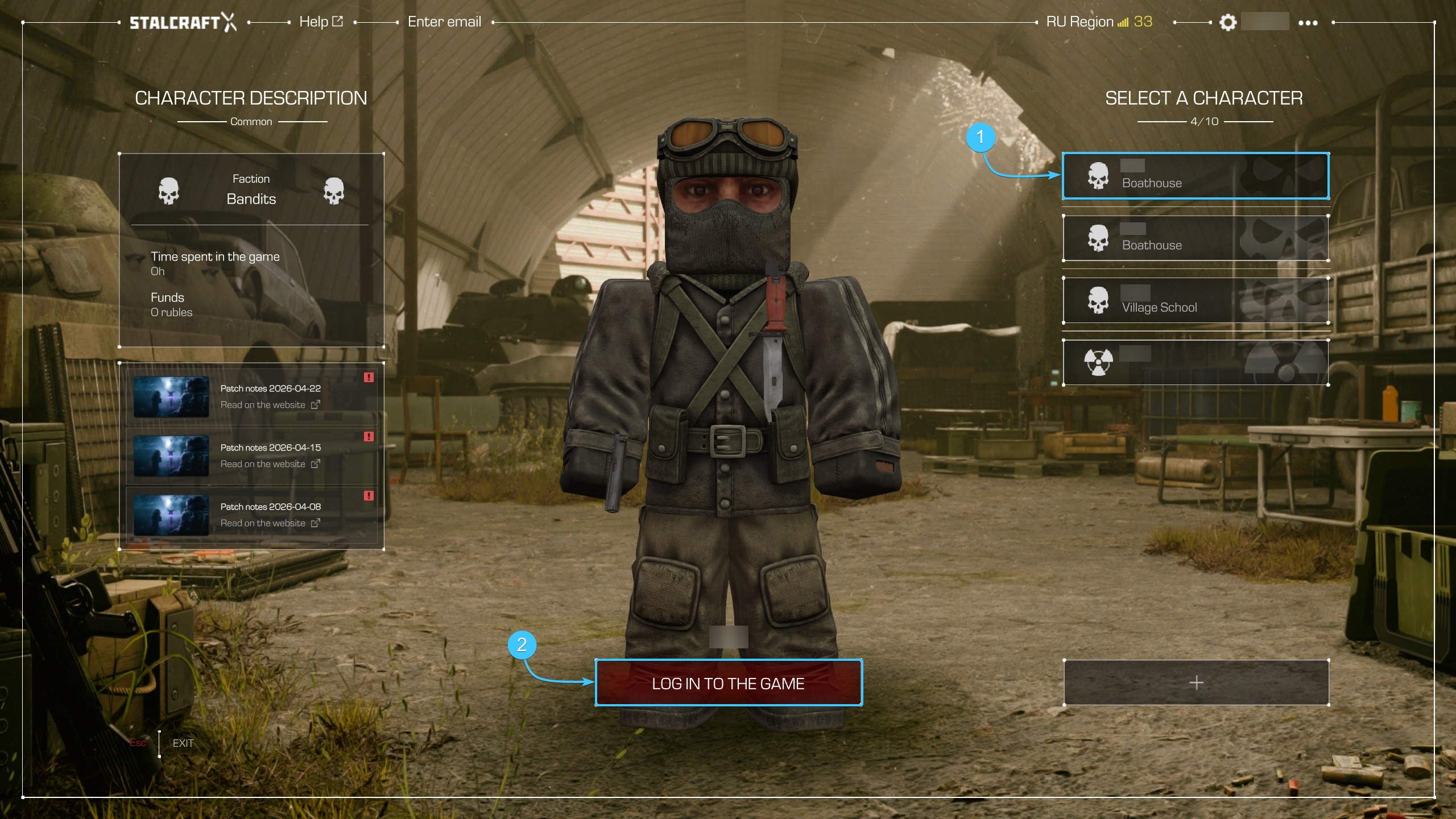
1. Launch the STALCRAFT: X game. Select the character for which you want to enable the Security Code, and log in to the server.
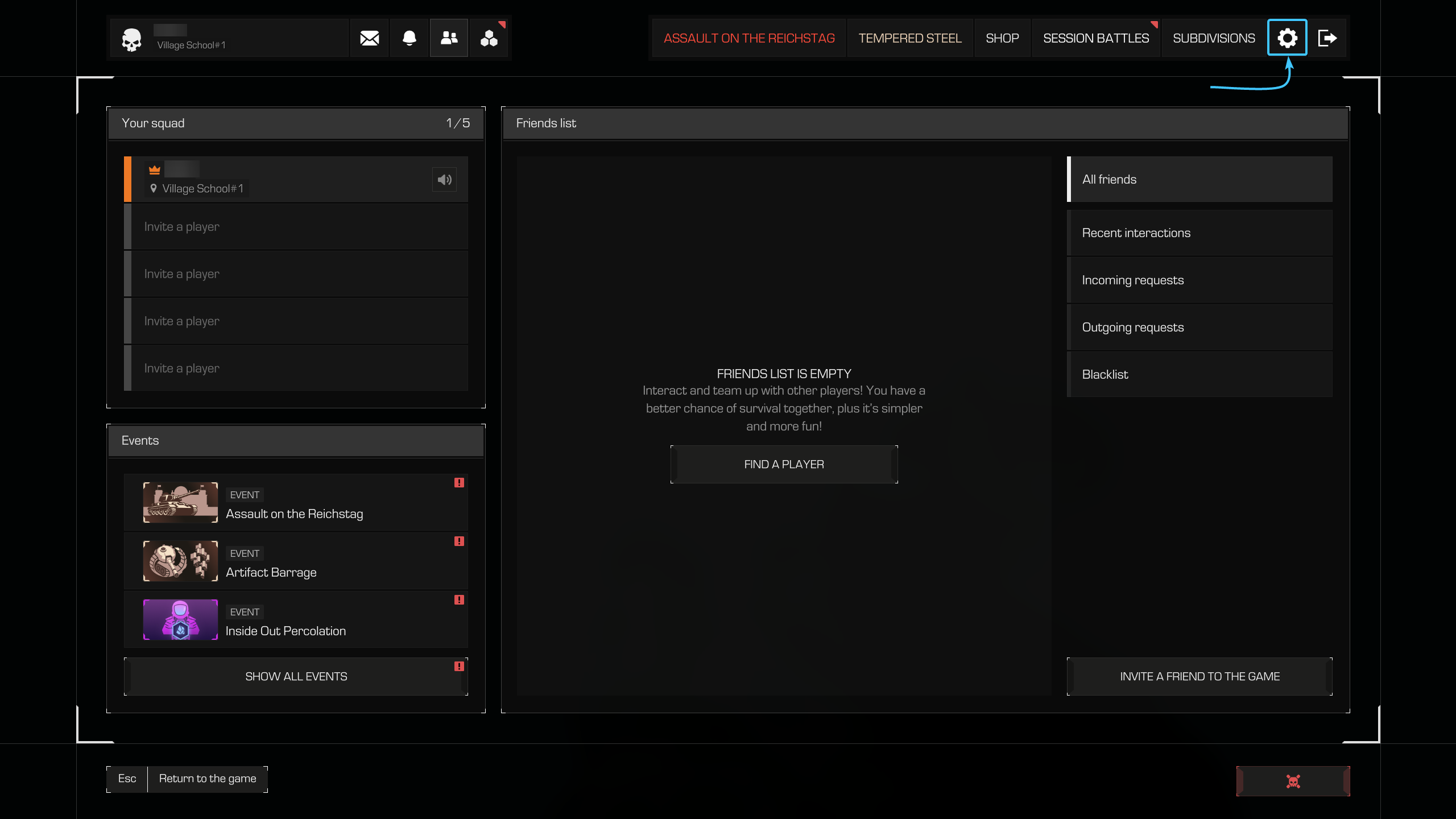
2. Press the “ESC” key to open the menu. Open the in-game “Settings” section.
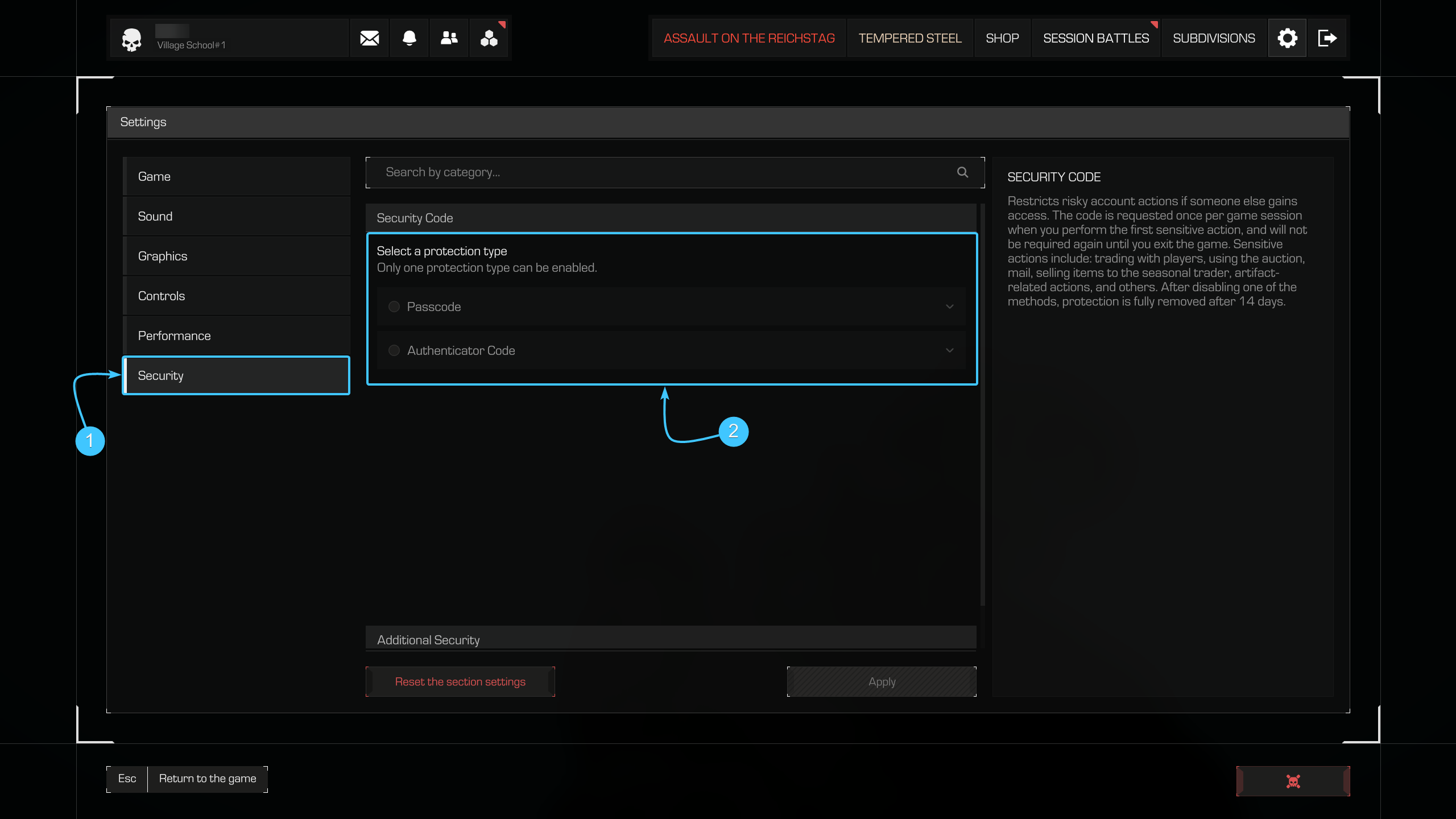
3. Go to the “Security” tab. Choose one of the two available options:
- Passcode — create a custom code;
- Authenticator Code — one-time codes generated by an authenticator app (e.g., Google Authenticator).
Enabling via Passcode
1. In the “Security Code” section, select the “Passcode” method.
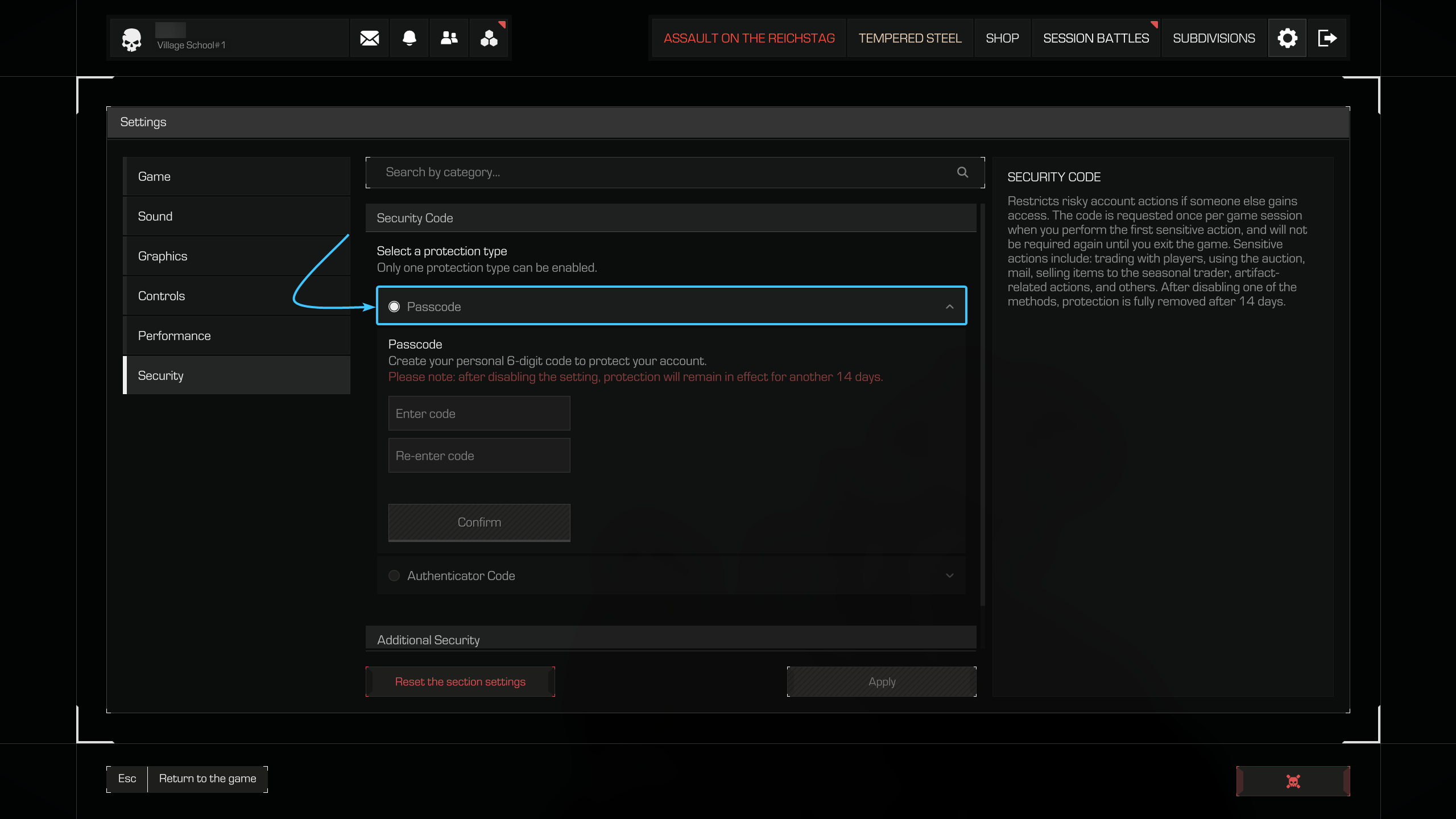
2. Enter a 6-digit code in the “Enter code” field. Confirm the code by entering it again in the “Re-enter code” field.
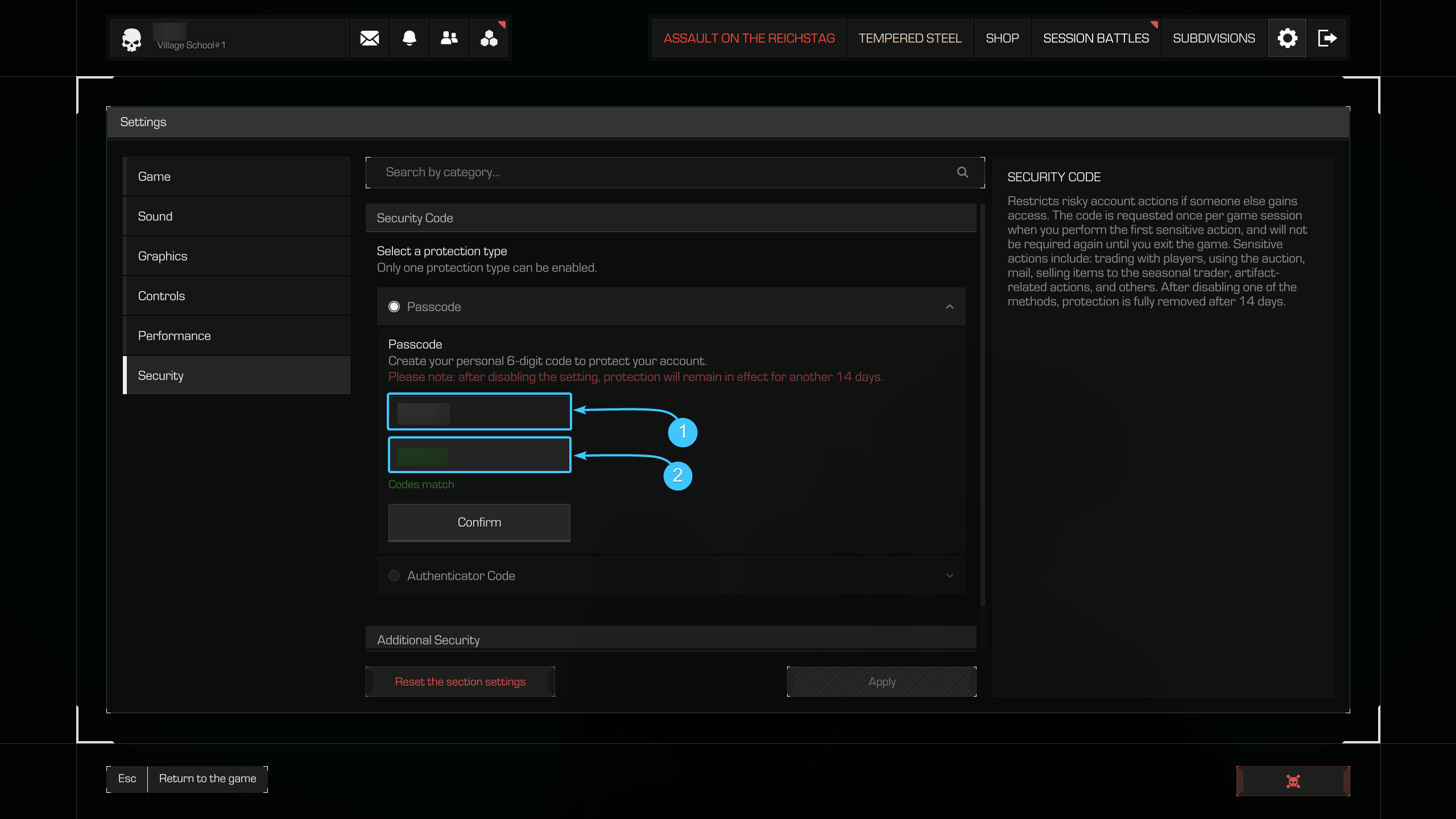
3. Click the “Confirm” button. The Security Code is now enabled.
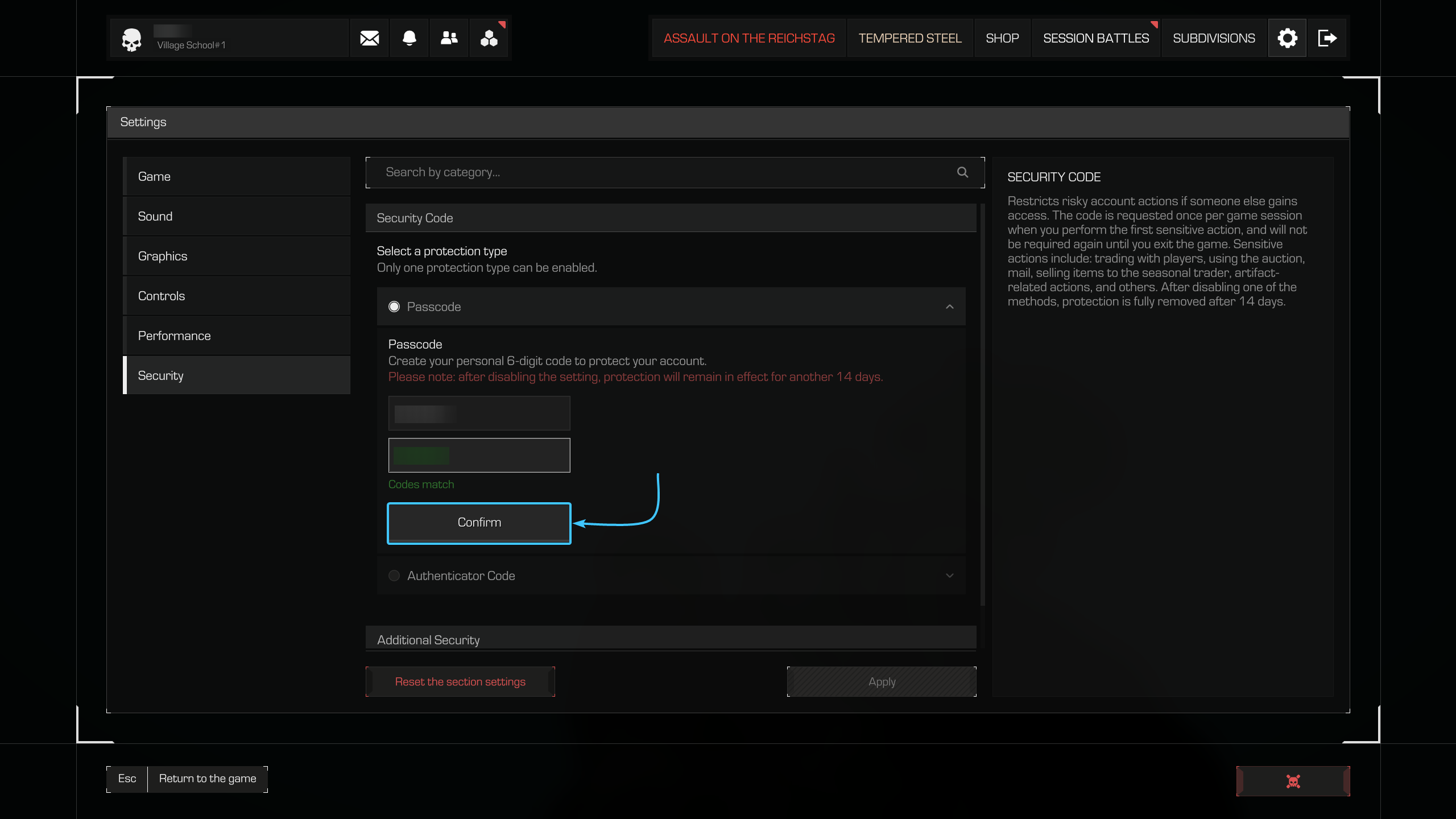
Please note! Never share this code with anyone if you want to keep your character safe. The system will request this code once per game session when performing actions that could harm your character if accessed by a scammer.
Enabling via Authenticator Code
1. In the “Security Code” section, select the “Authenticator Code” method.
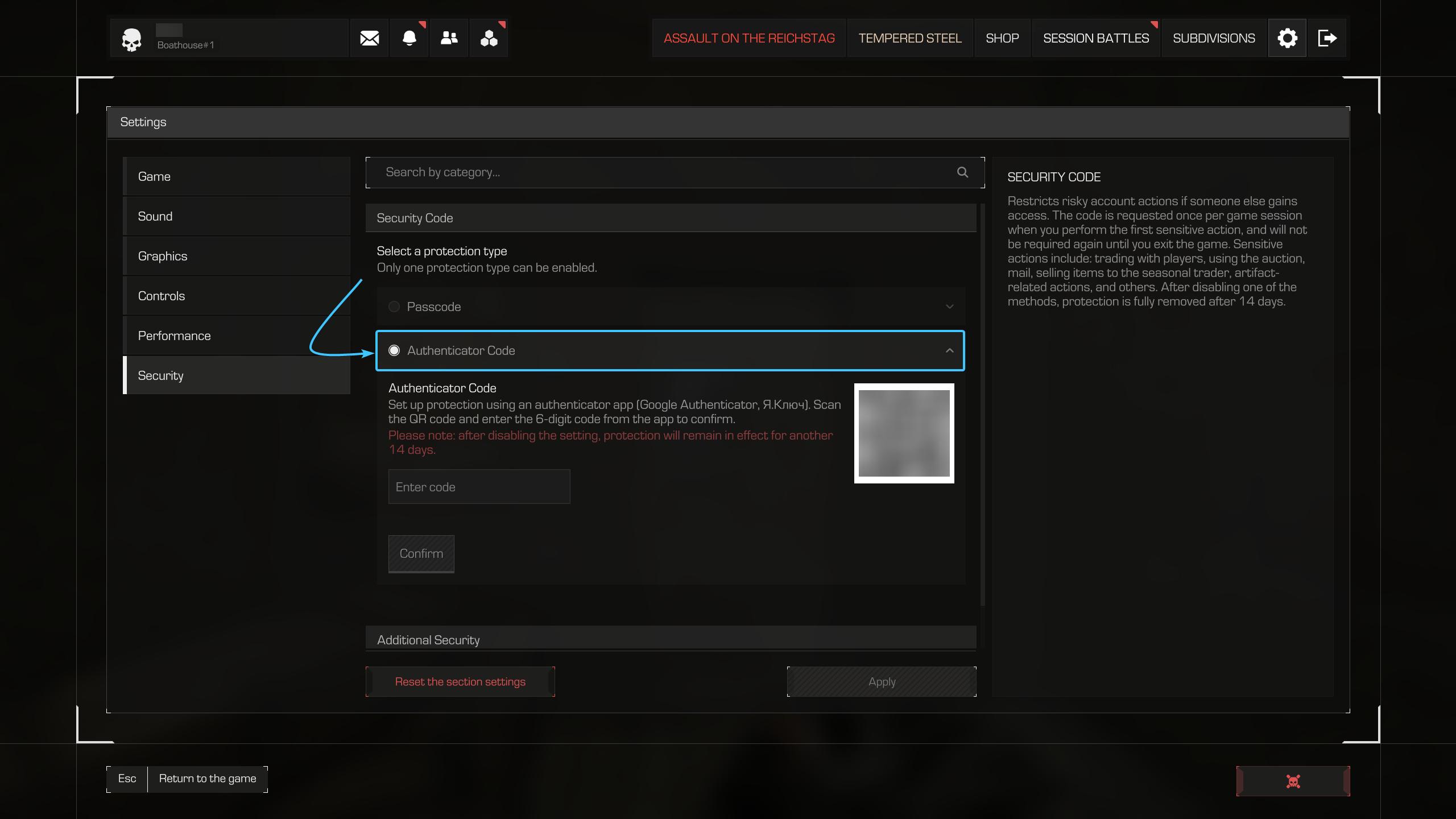
2. Download any supported app on your mobile device:
- “Yandex.ID (Ключ)”;
- “Google Authenticator”.

3. Open the app on your phone and tap the add button.
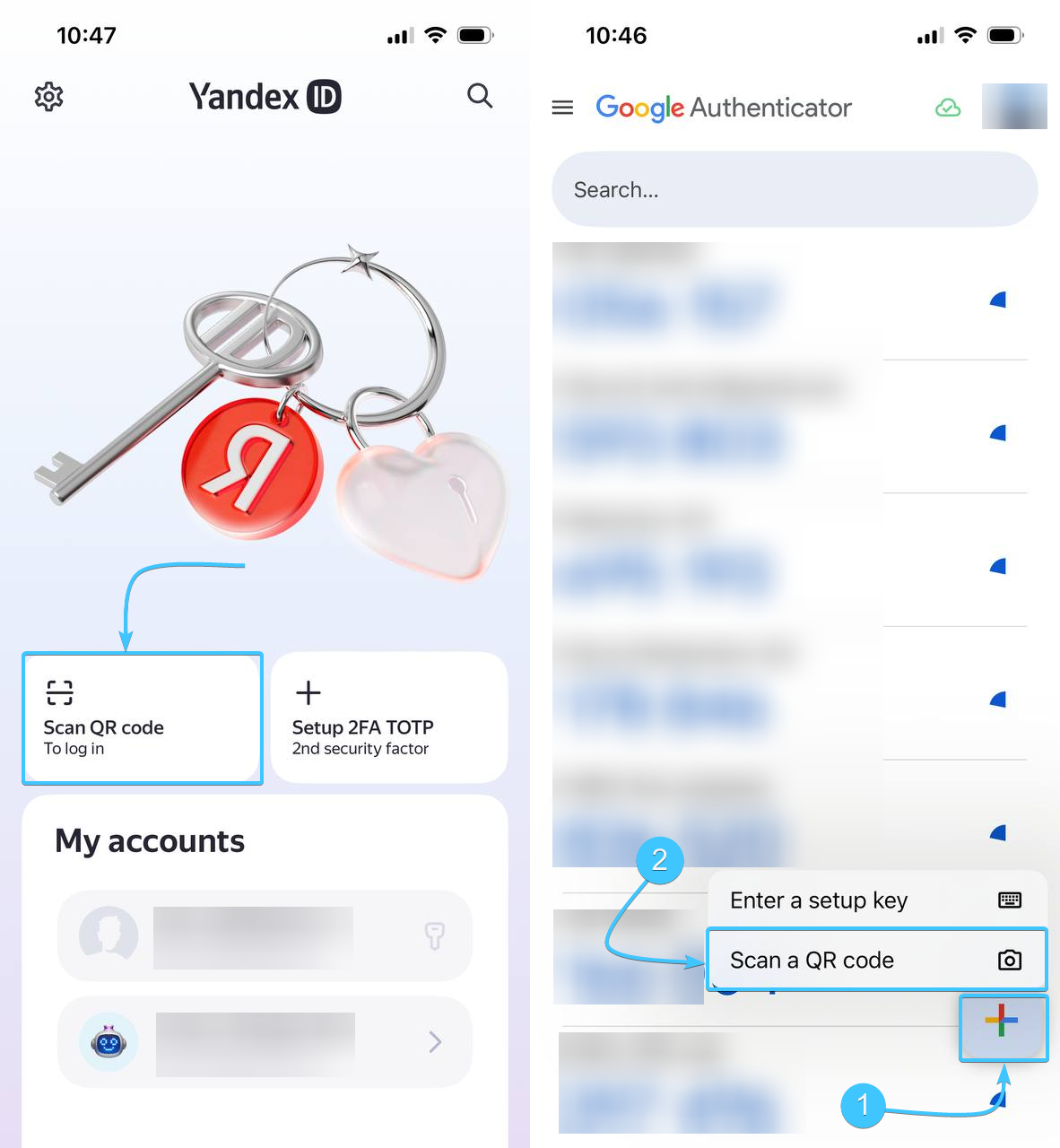
4. Scan the QR code and enter the code from the app into the “Enter code” field.
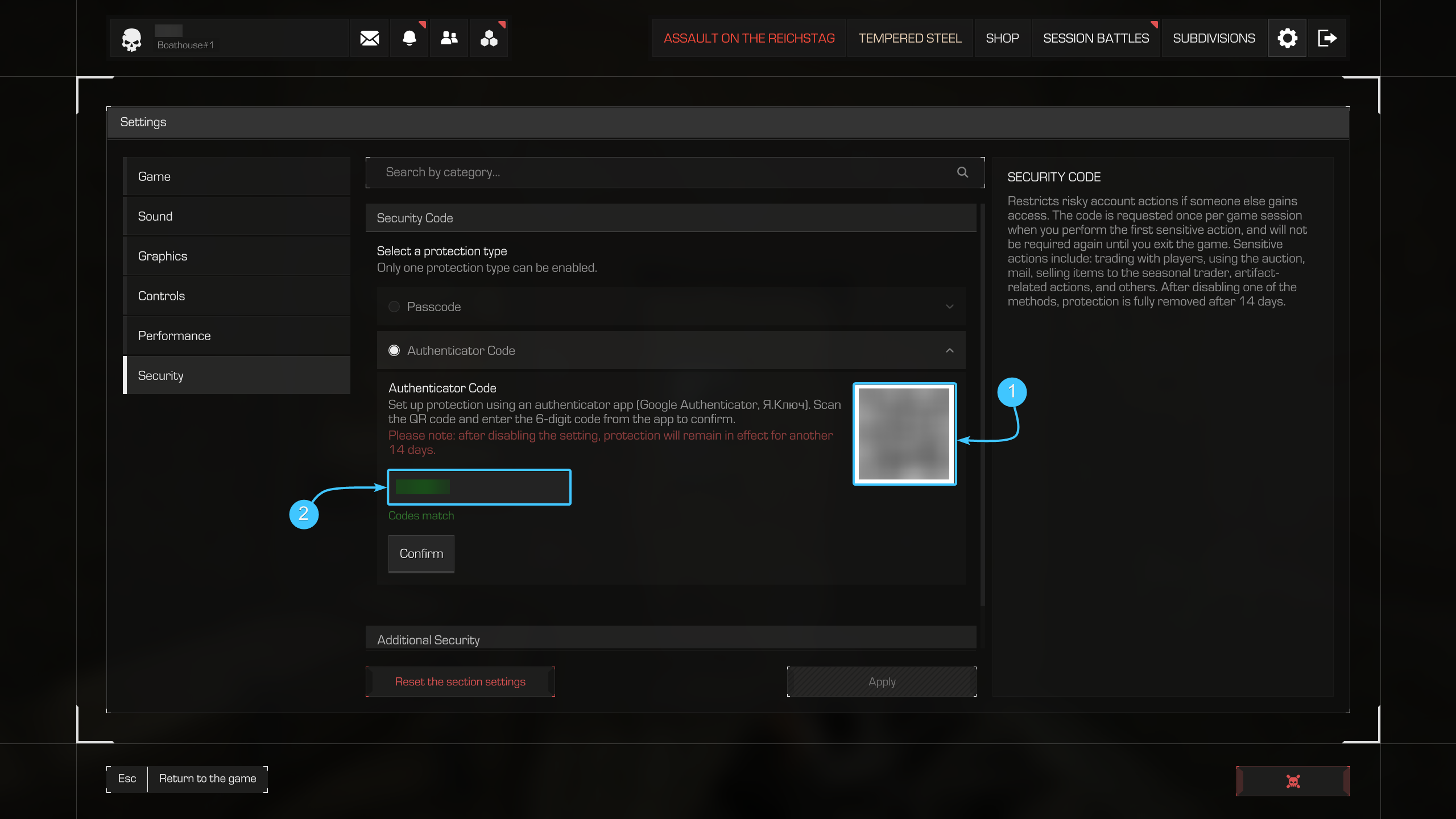
5. Click the Confirm button. The Security Code is now enabled.
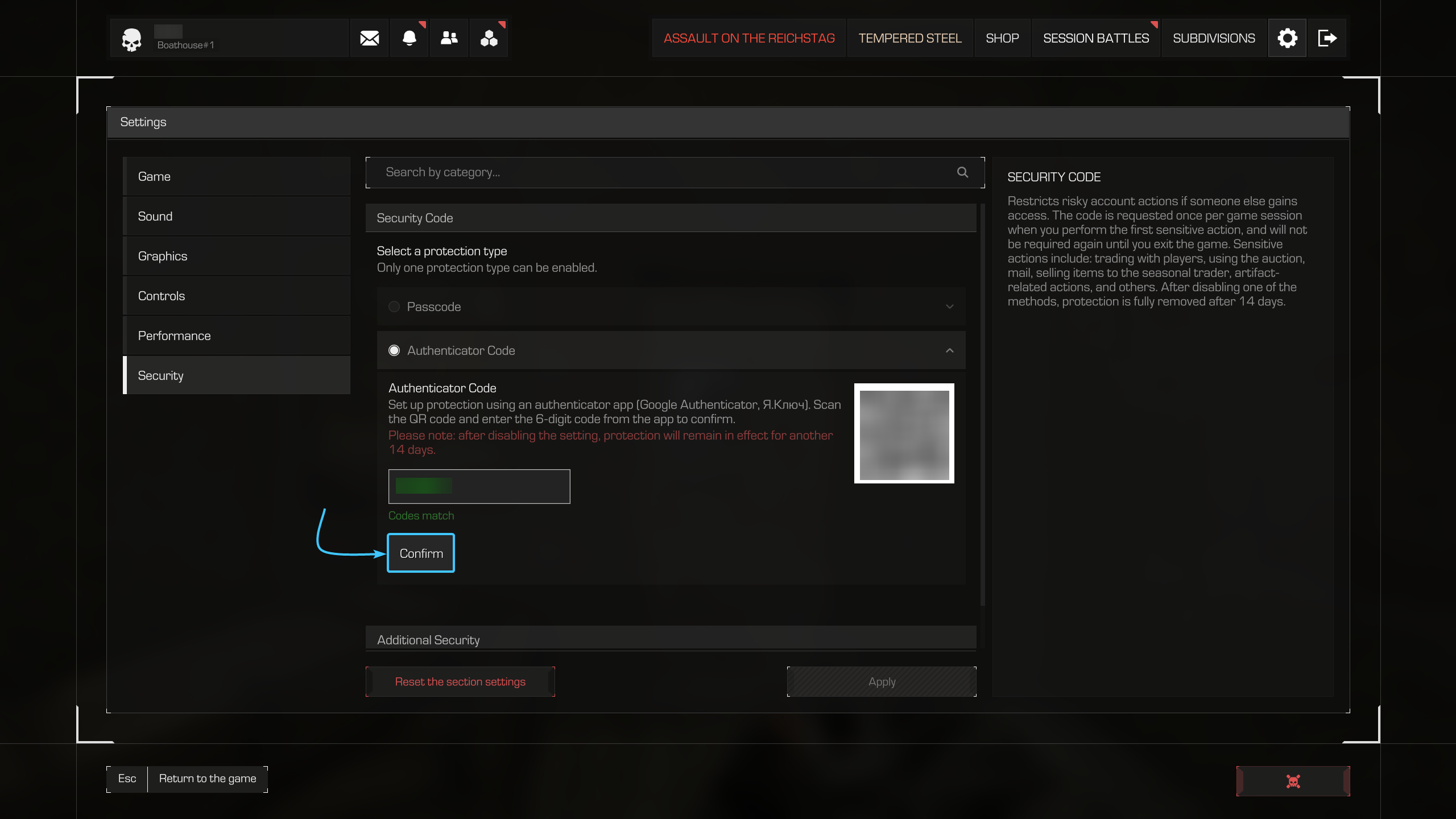
Please note! Never share this code with anyone if you want to keep your character safe. The system will request this code once per game session when performing actions that could harm your character if accessed by a scammer.
Disabling the Security Code
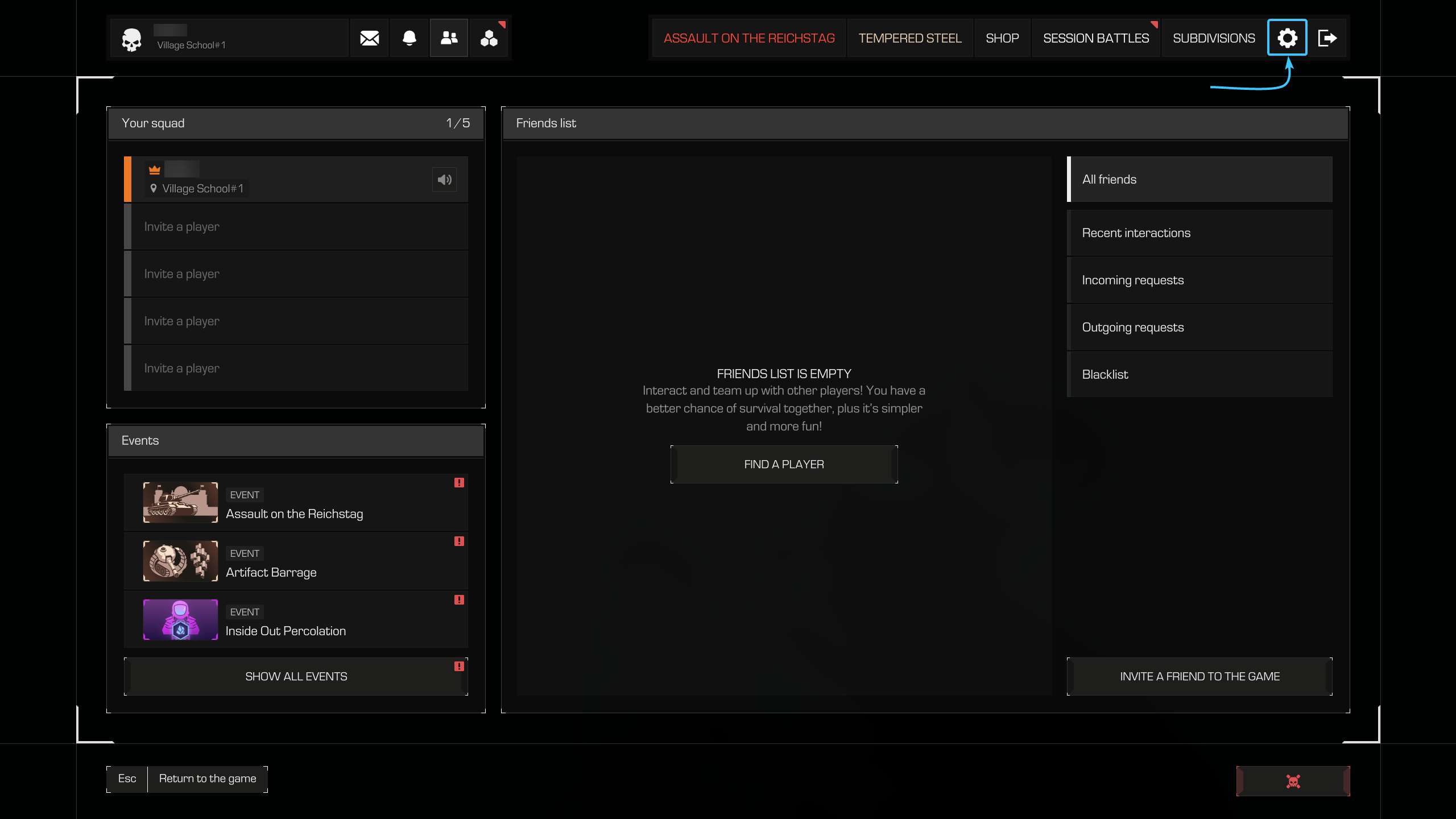
1. On the character where the Security Code was enabled, press the “ESC” key to open the menu. Go to the “Settings” section.
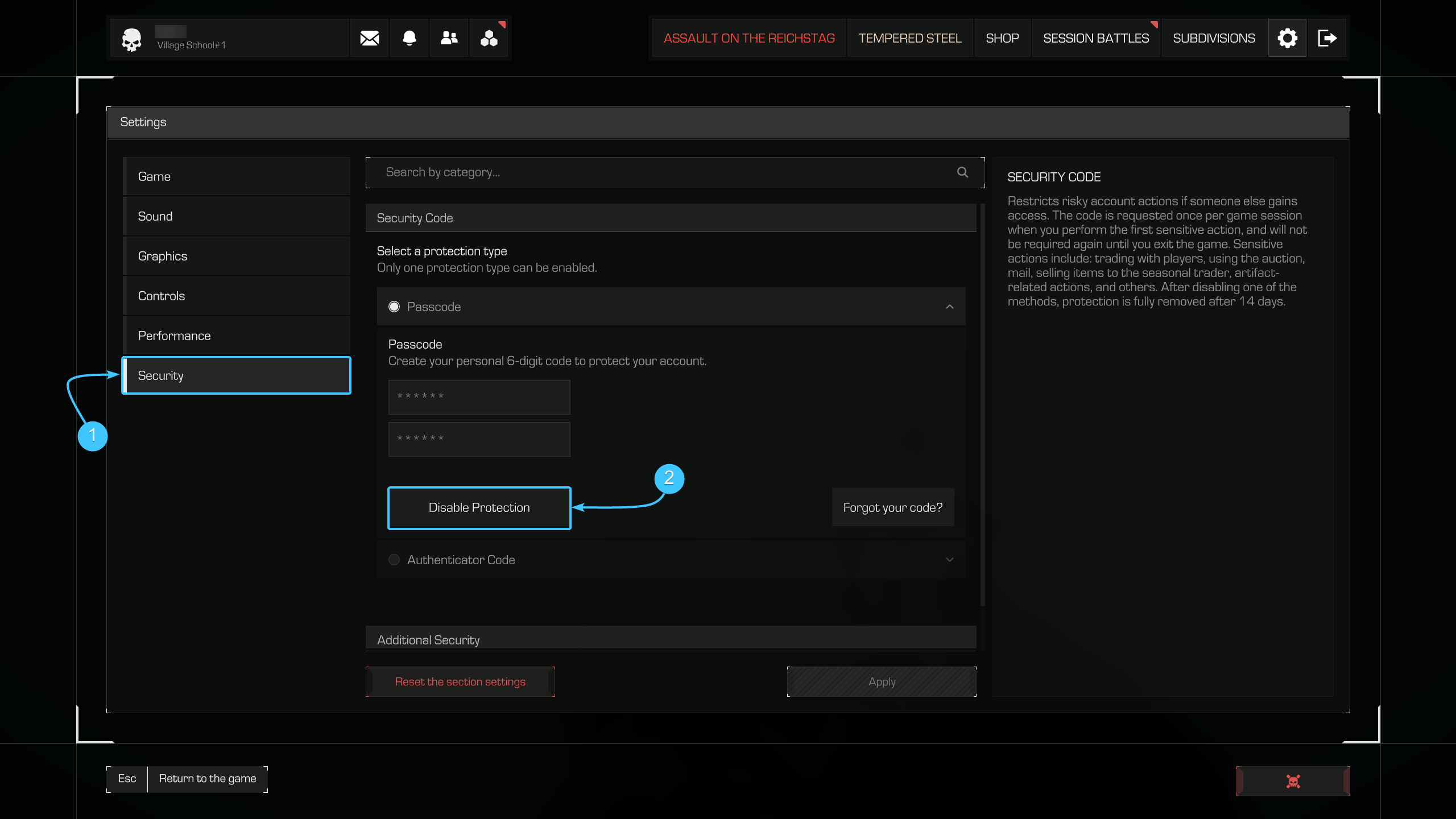
2. Open the “Security” section and click the “Disable Protection” button.
3. Enter the current “Passcode” or the code from the authenticator app into the input field. Click “Confirm.”
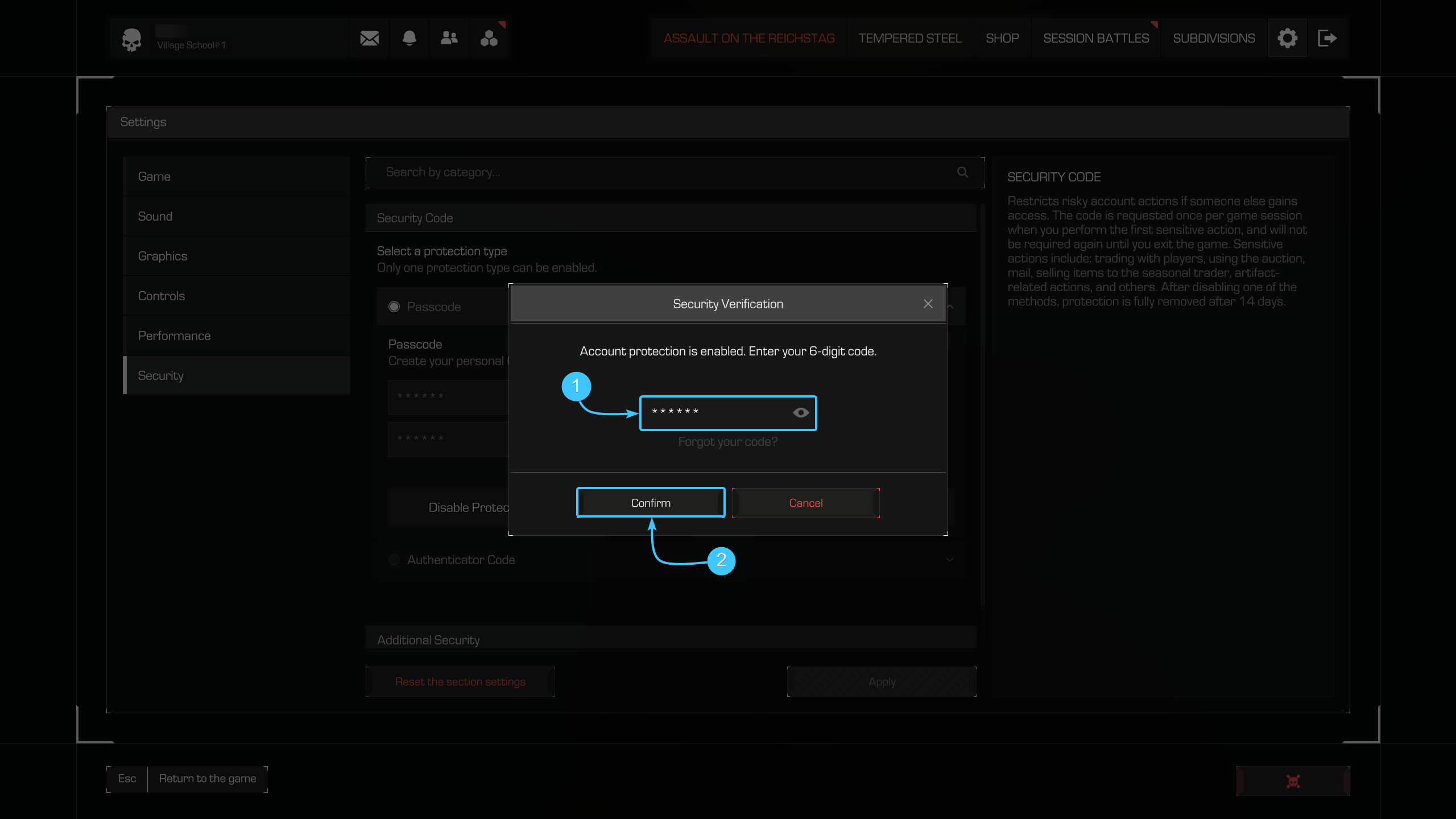
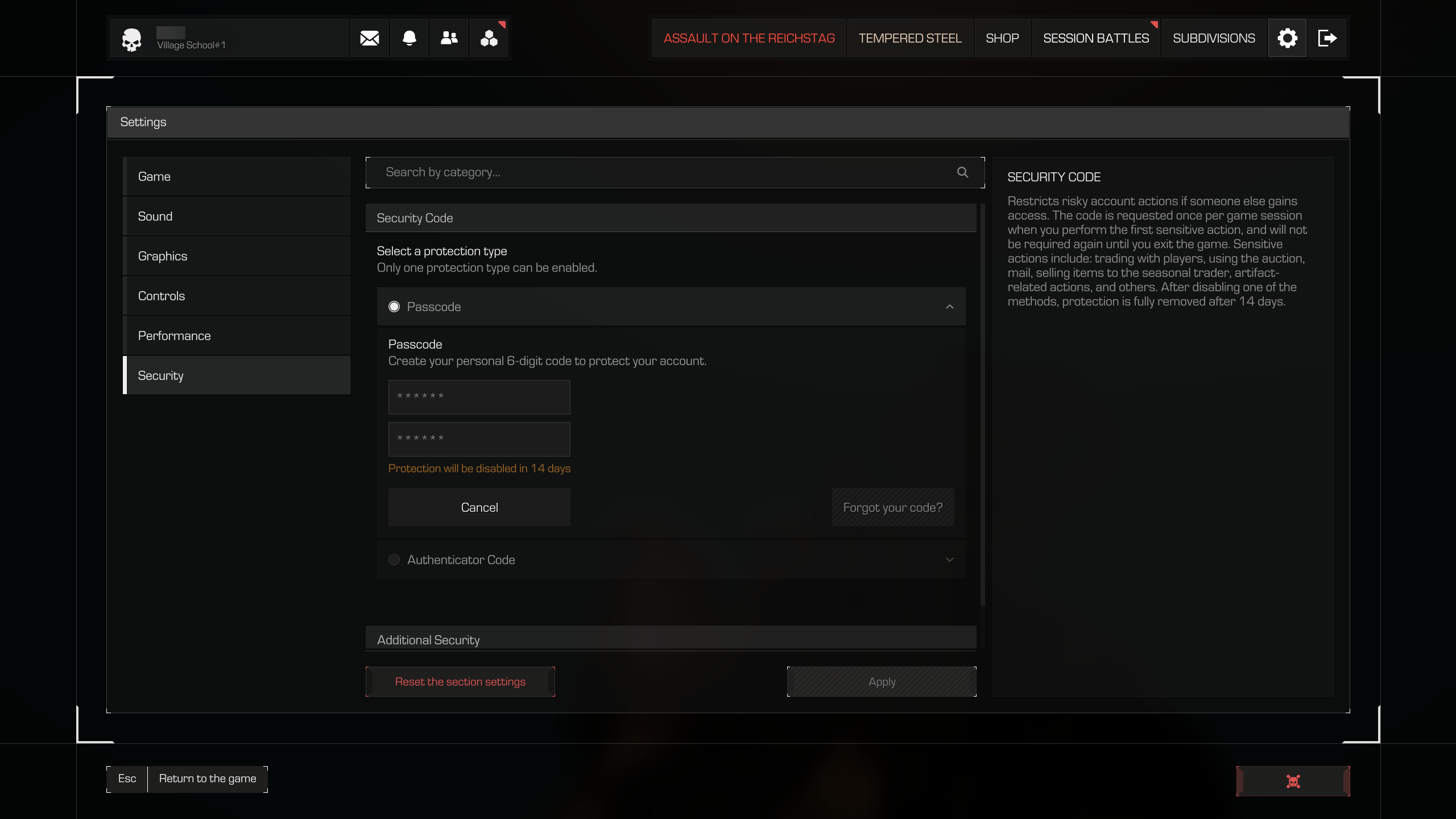
4. The Security Code will be disabled within 14 days.
What to do if you forgot or lost your code?
In this case, you need to send a ticket to our support team.
Other guides
- Game system requirements;
- Cooperative play with friends;
- Deleting a game character;
- Adding a player to the blacklist;
- Filing a complaint on chat violation;
- Transferring a game character;
- Activating streamer mode;
- Hiding the interface and hands;
- Switching on the smooth camera;
- Colour text in the PDA profile;
- Accidentally deleted an in-game item;
- STALCRAFT: X open test server;
- STALCRAFT: X solo or passive mode;
- Resetting progress or “Wipe”;
- Removing the lock from an object;
- Switching language in the game;
- Setting achievements in the profile;
- Removing achievements from profile;
- Removing a player from the blacklist;
- Disabling death waypoints in the world;
- Filing a complaint on a cheater;
- Deleting an in-game item;
- Game character statistics;
- Custom music function.