Guide

Contents
Information about the Twitch Drops rewards system
Twitch Drop rewards are items that are given to users for watching a certain number of hours of live streams of the game STALCRAFT: X on the official Twitch platform website.
You can check the status of a reward on a special page on the Twitch platform.
Notice! Do not link your Epic Games account to another Twitch account while receiving rewards. Only use one link to your Twitch account. Otherwise, it will be impossible to receive all Twitch Drops rewards, even after contacting support.
Notice! Please pay attention to which account you link to the Twitch platform. If you link the wrong account to the platform, the rewards will be sent to your incorrect account.
Getting Twitch Drops reward on Epic Games (#1)
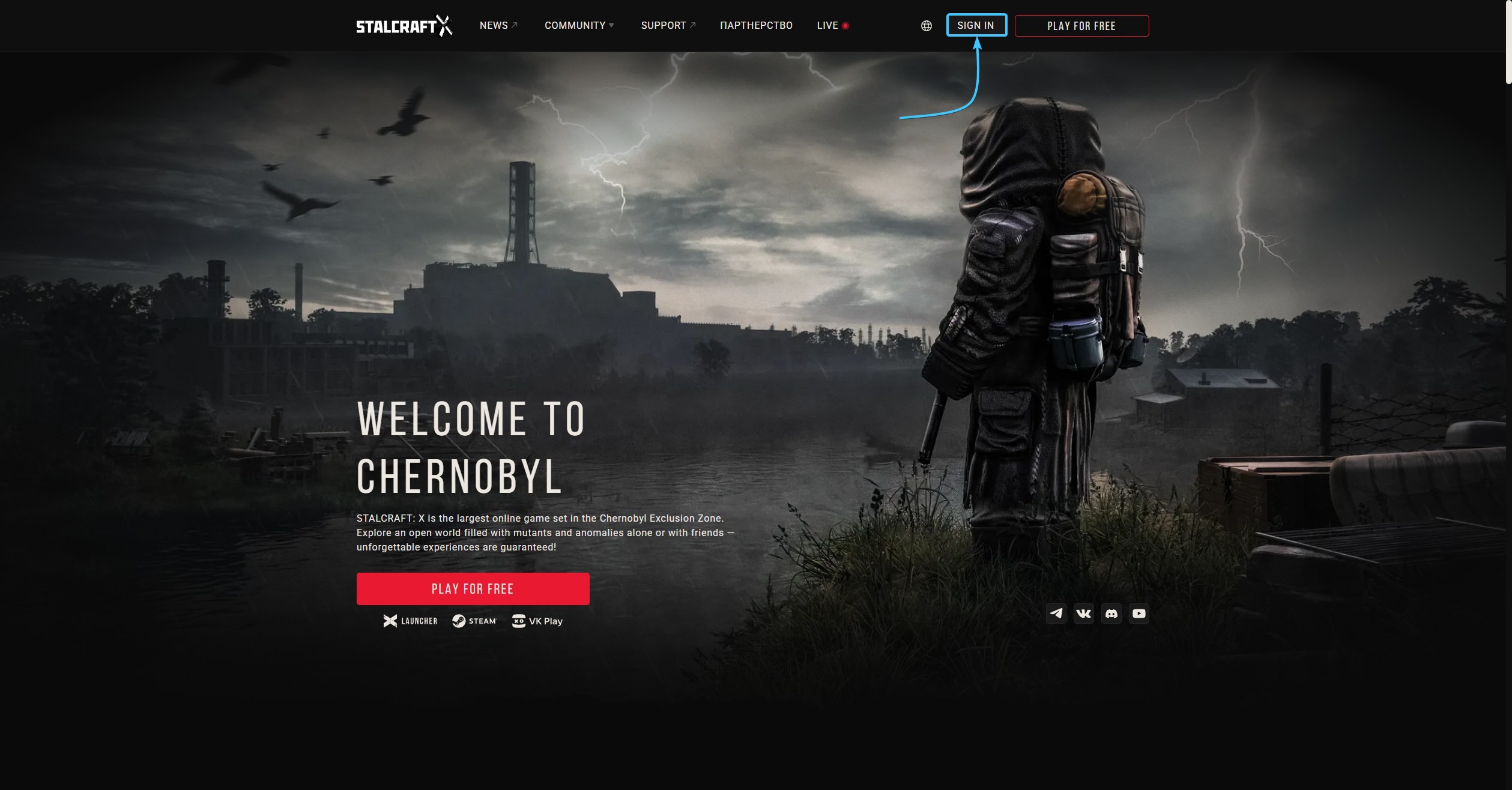
1. Go to the official website of the game STALCRAFT: X and click “Sign in” in the top right corner.
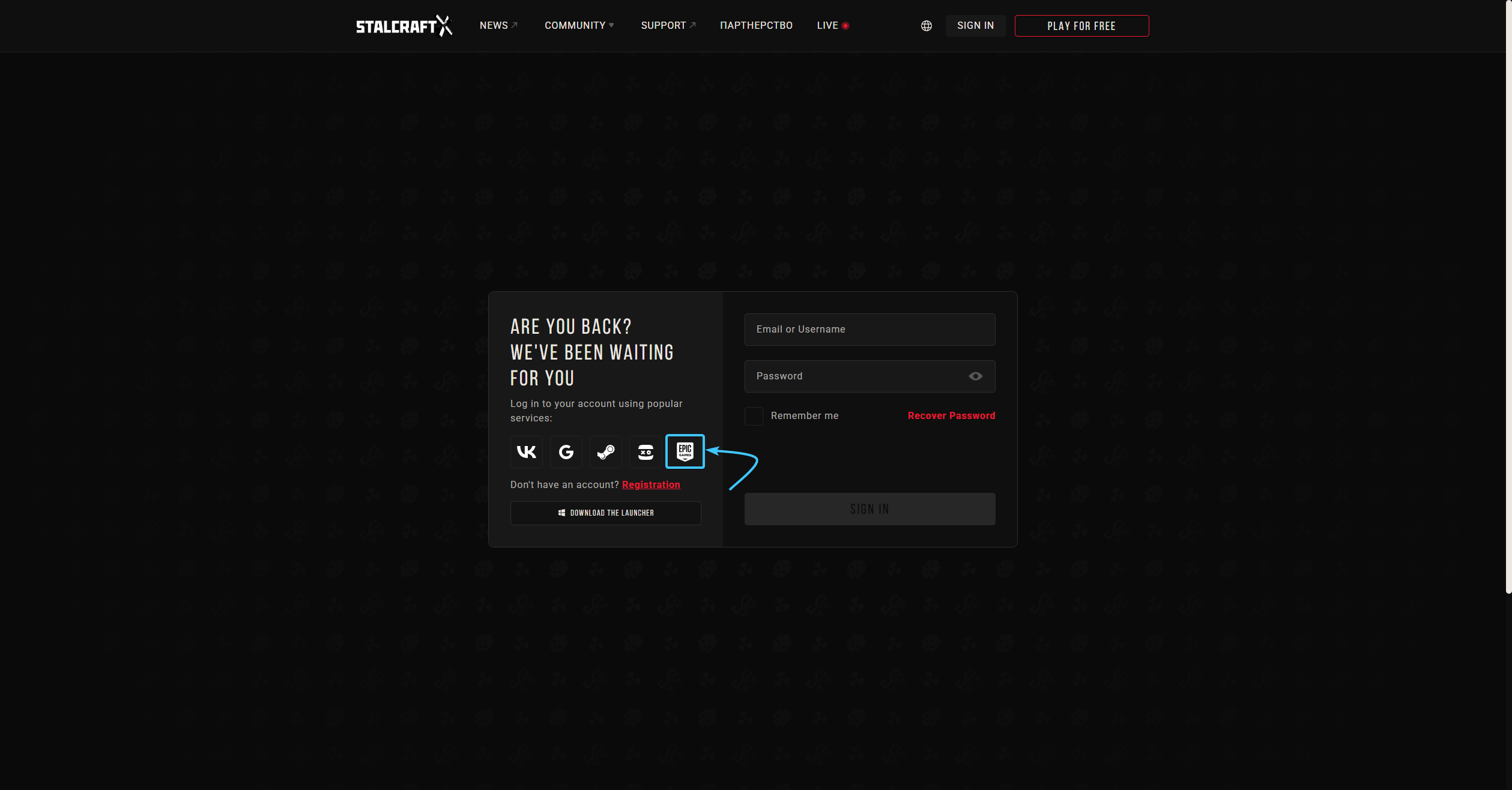
2. An authorization window will appear. On the right side of this window, click on the “Epic Games” icon.
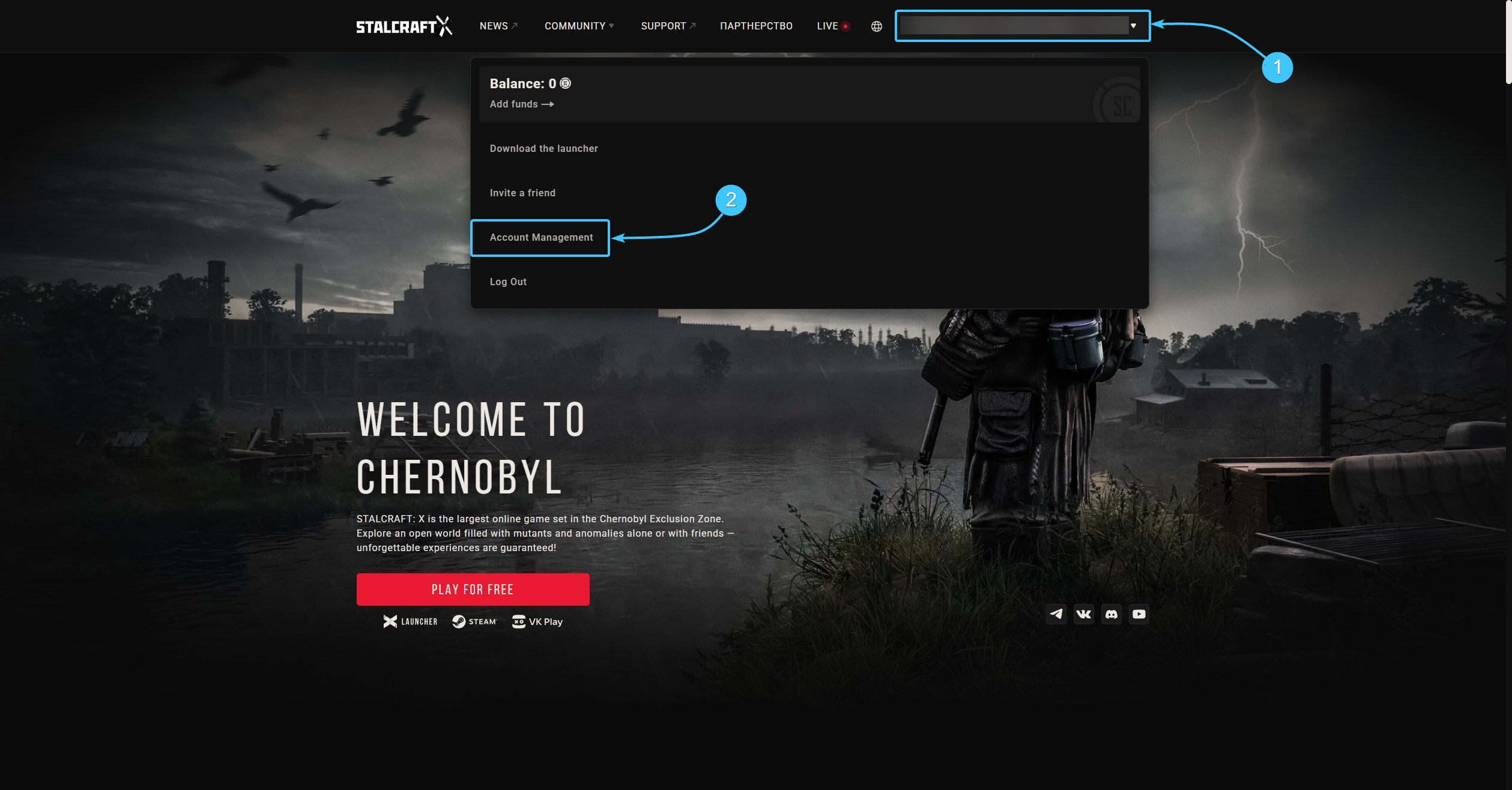
3. Select your Epic Games account login (1). From the list, select “Account Management” (2).
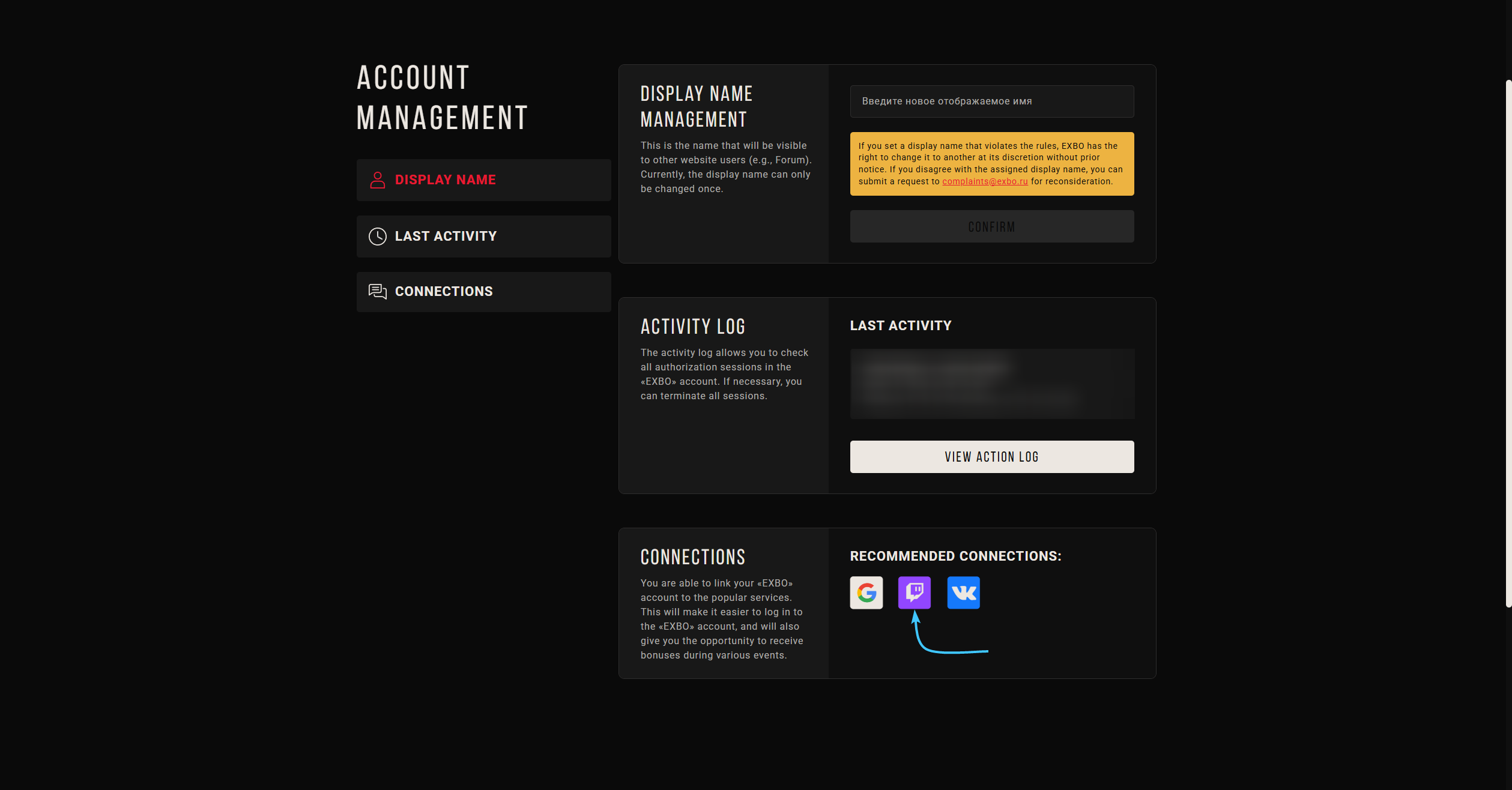
4. In the “Connections” section, click on the “Twitch” button to link accounts.
5. The official Twitch platform website will open. Log in using the account you want to connect.
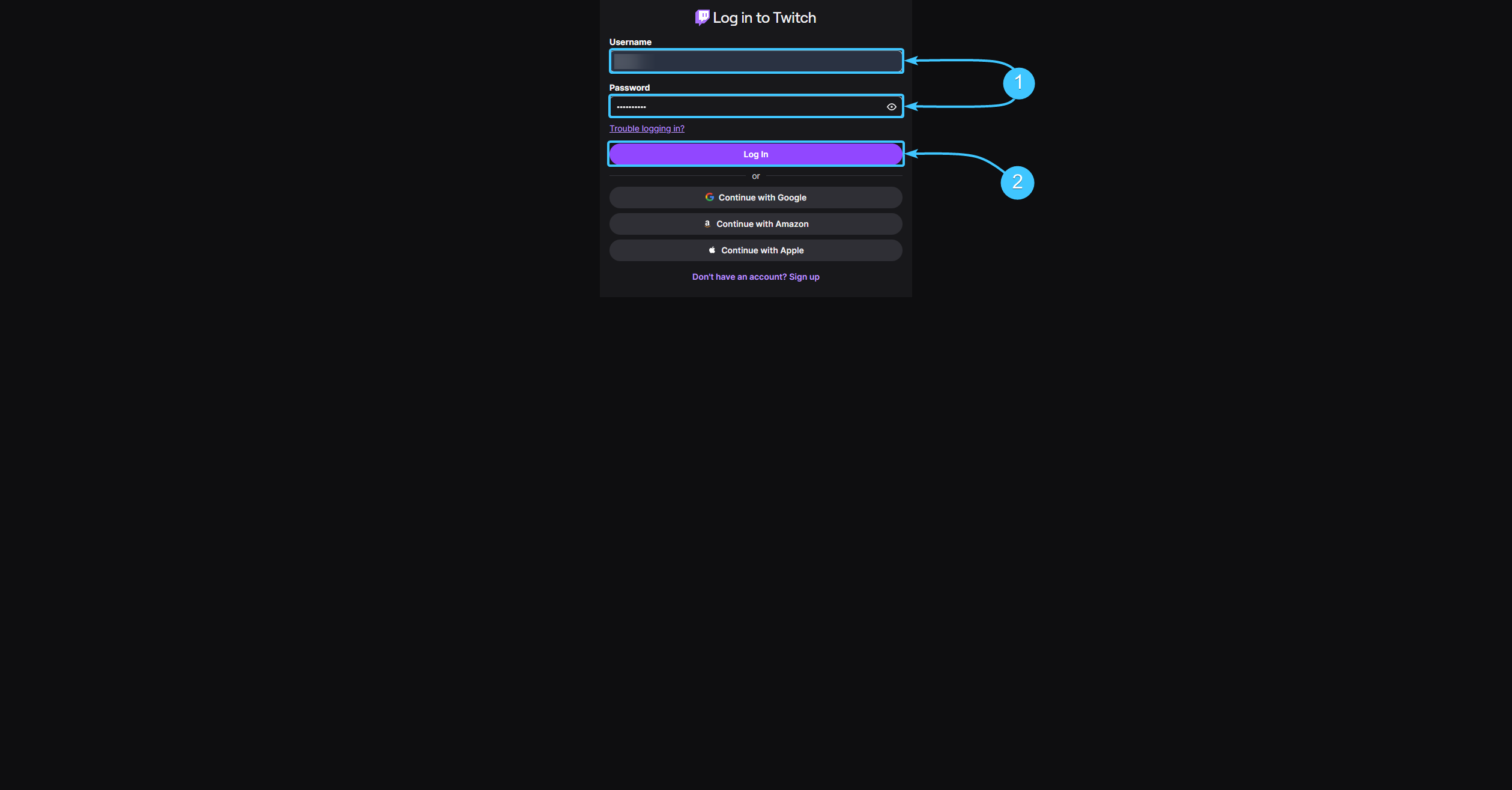
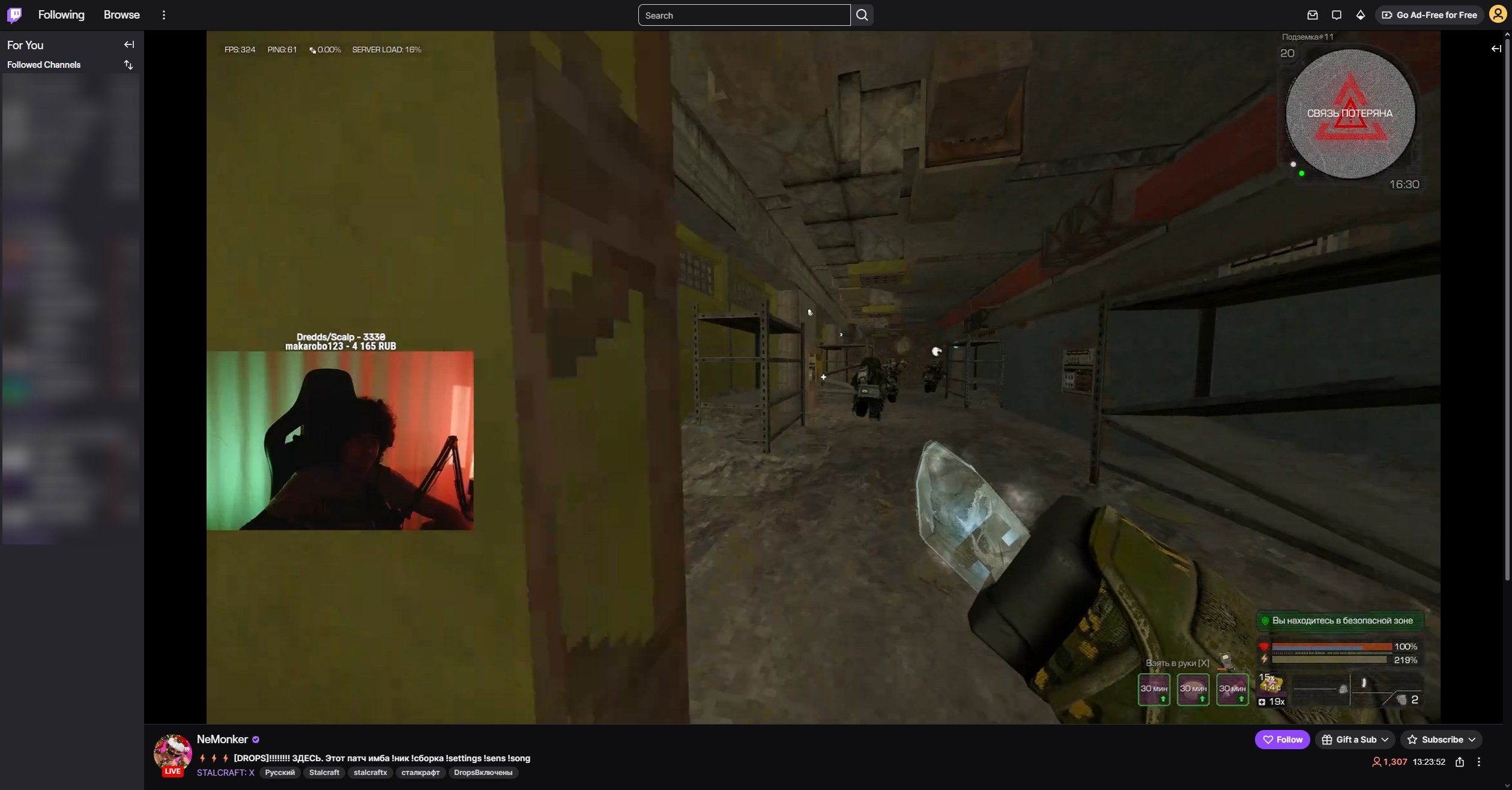
6. Start watching live broadcasts on Twitch until you get the rewards you want.
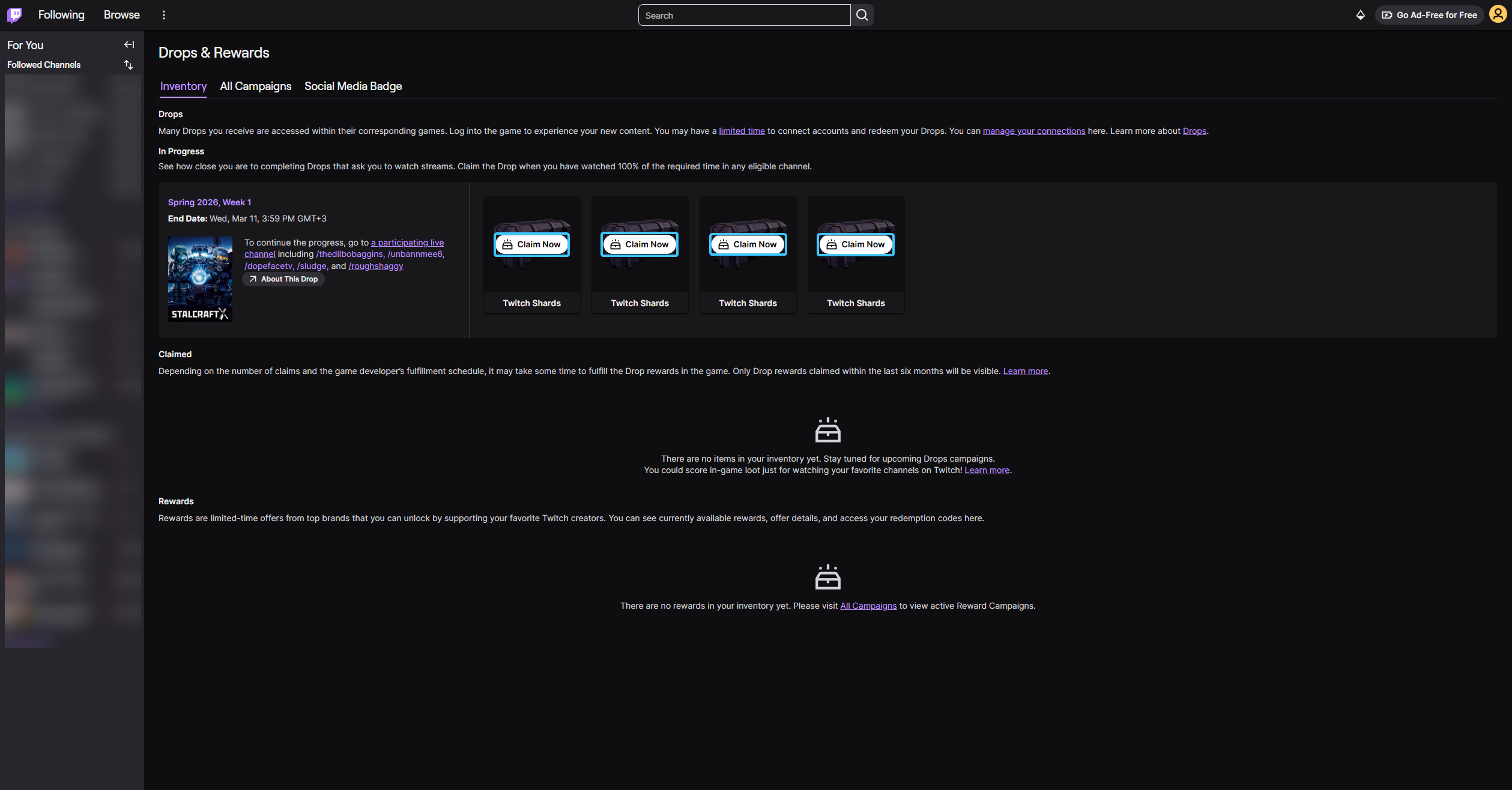
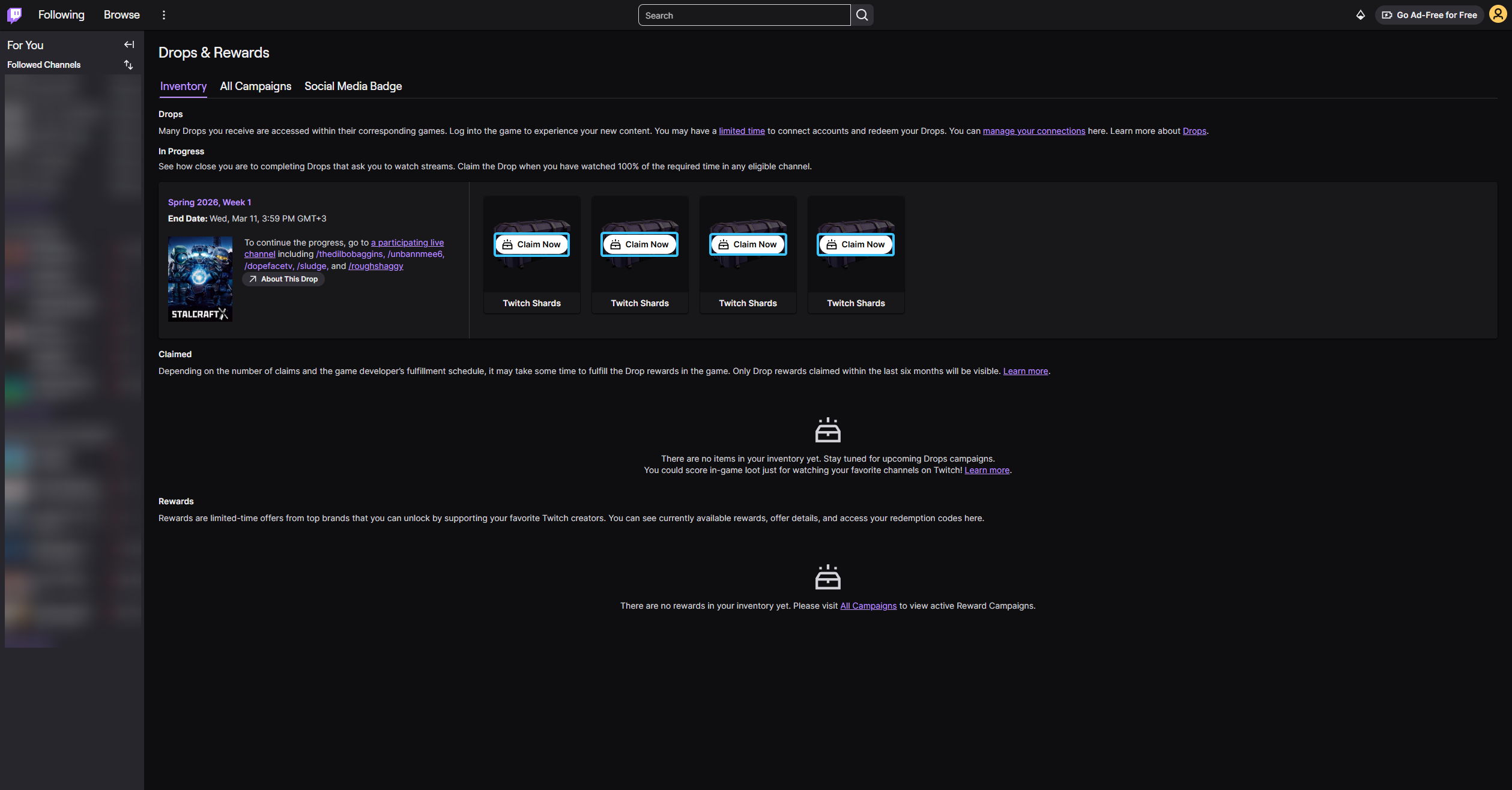
7. After that, go to the special page and click the “Claim now” button on the required items.
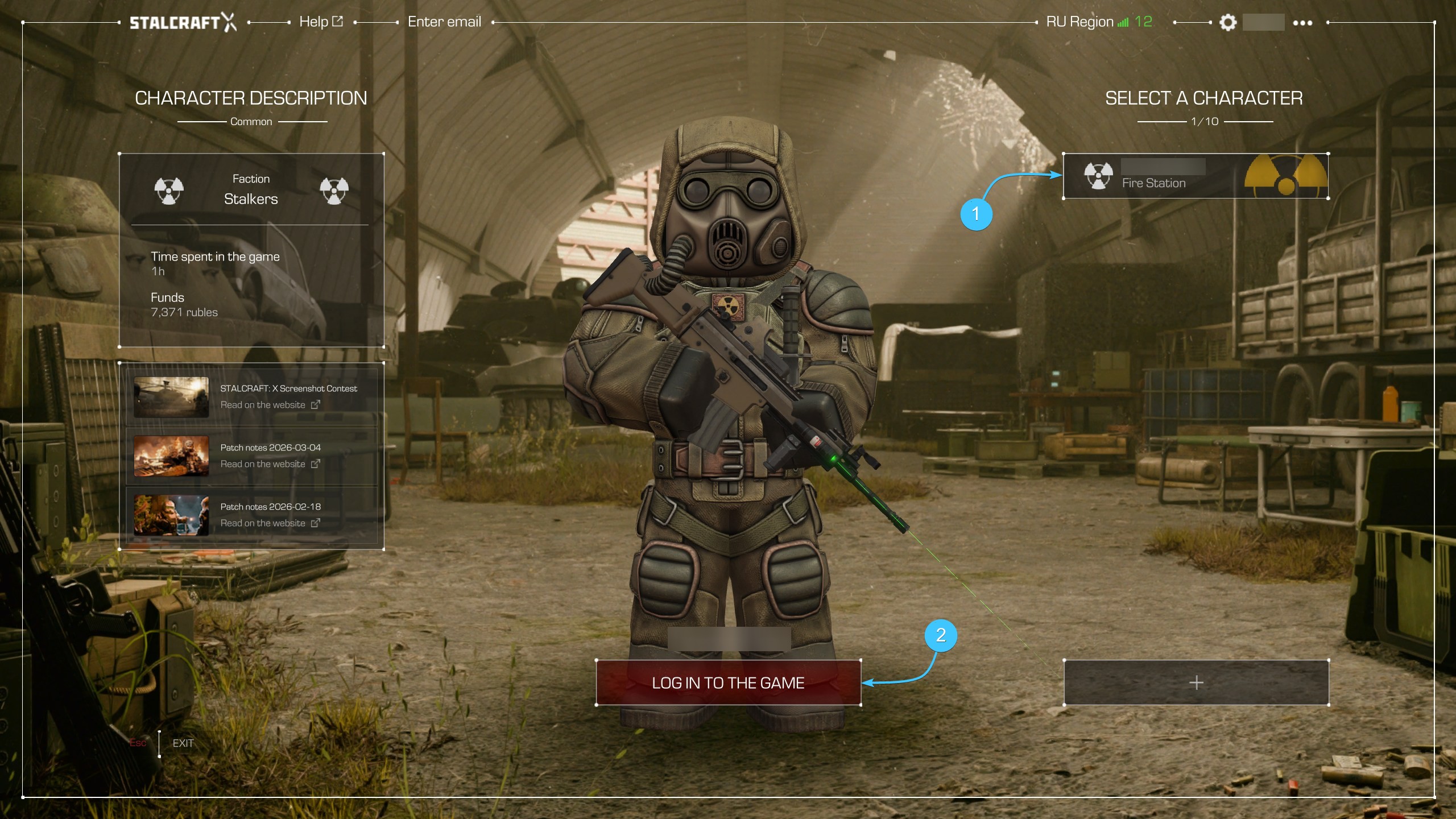
8. Launch the STALCRAFT: X game. In the main menu, select the required character and log in to the server.
9. At your faction base, find a character who is a courier and opens in-game mail.
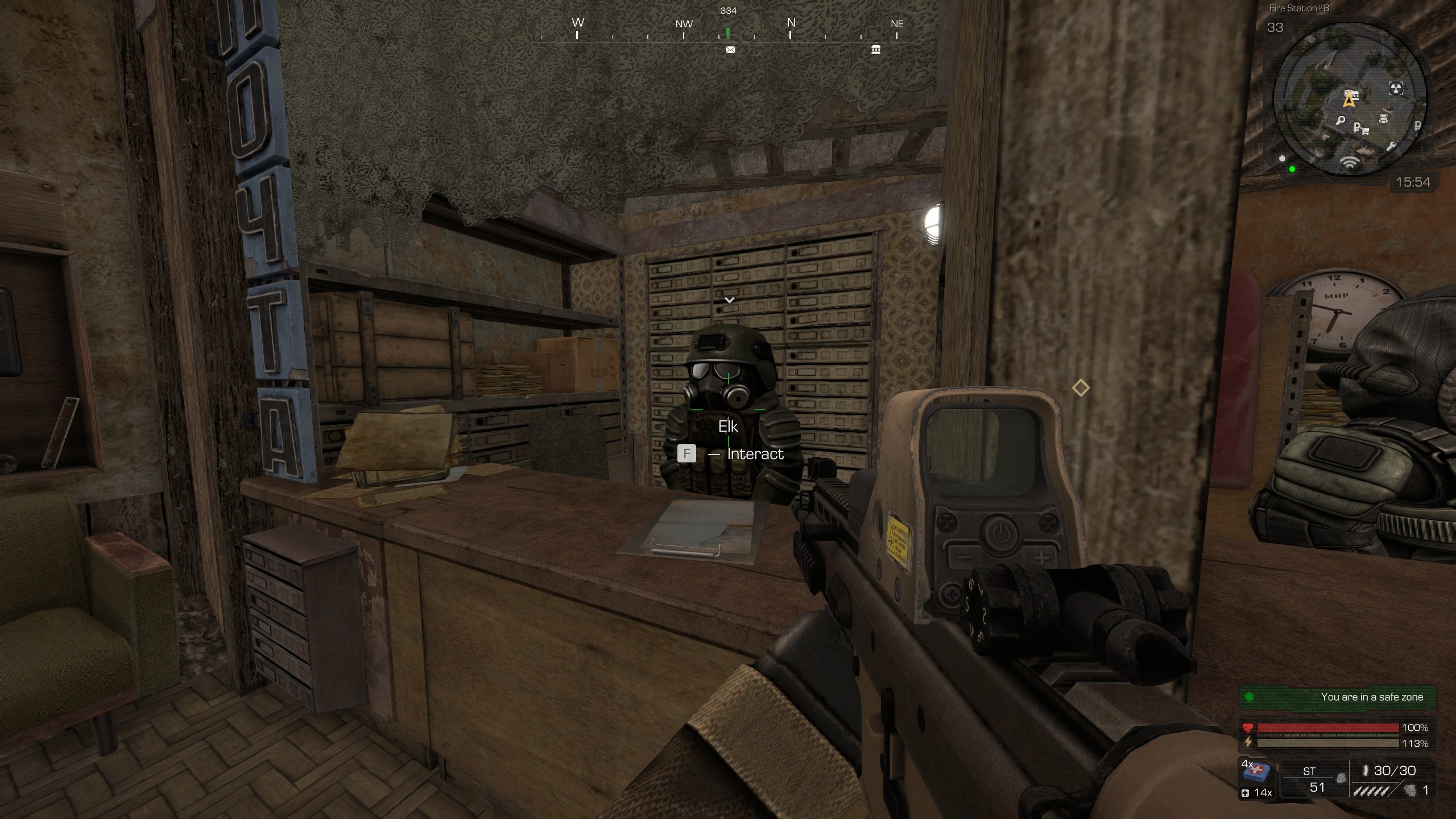
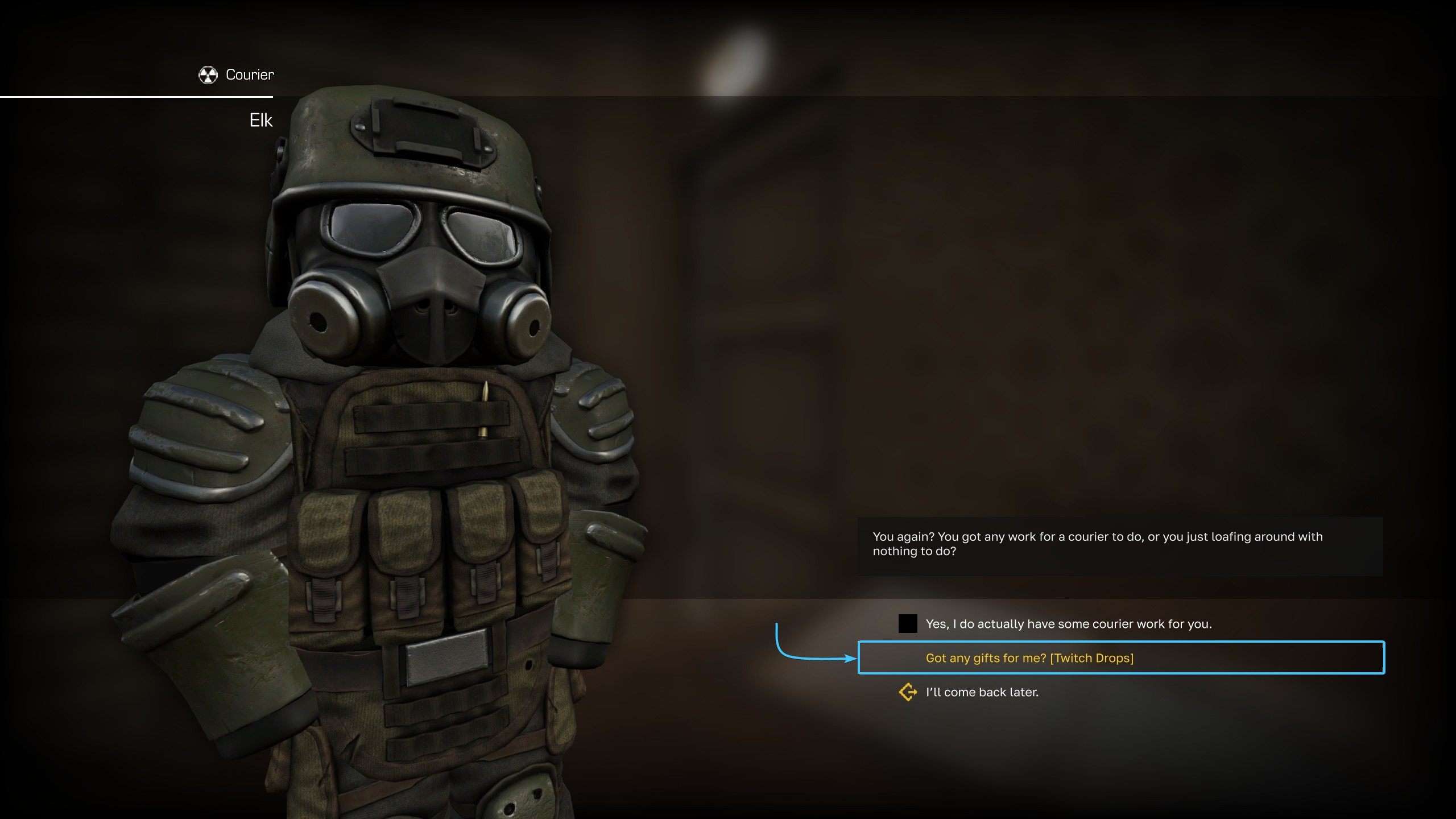
10. Start interacting with him. In the dialogue, select the “Got any gifts for me? [Twitch Drops]”.
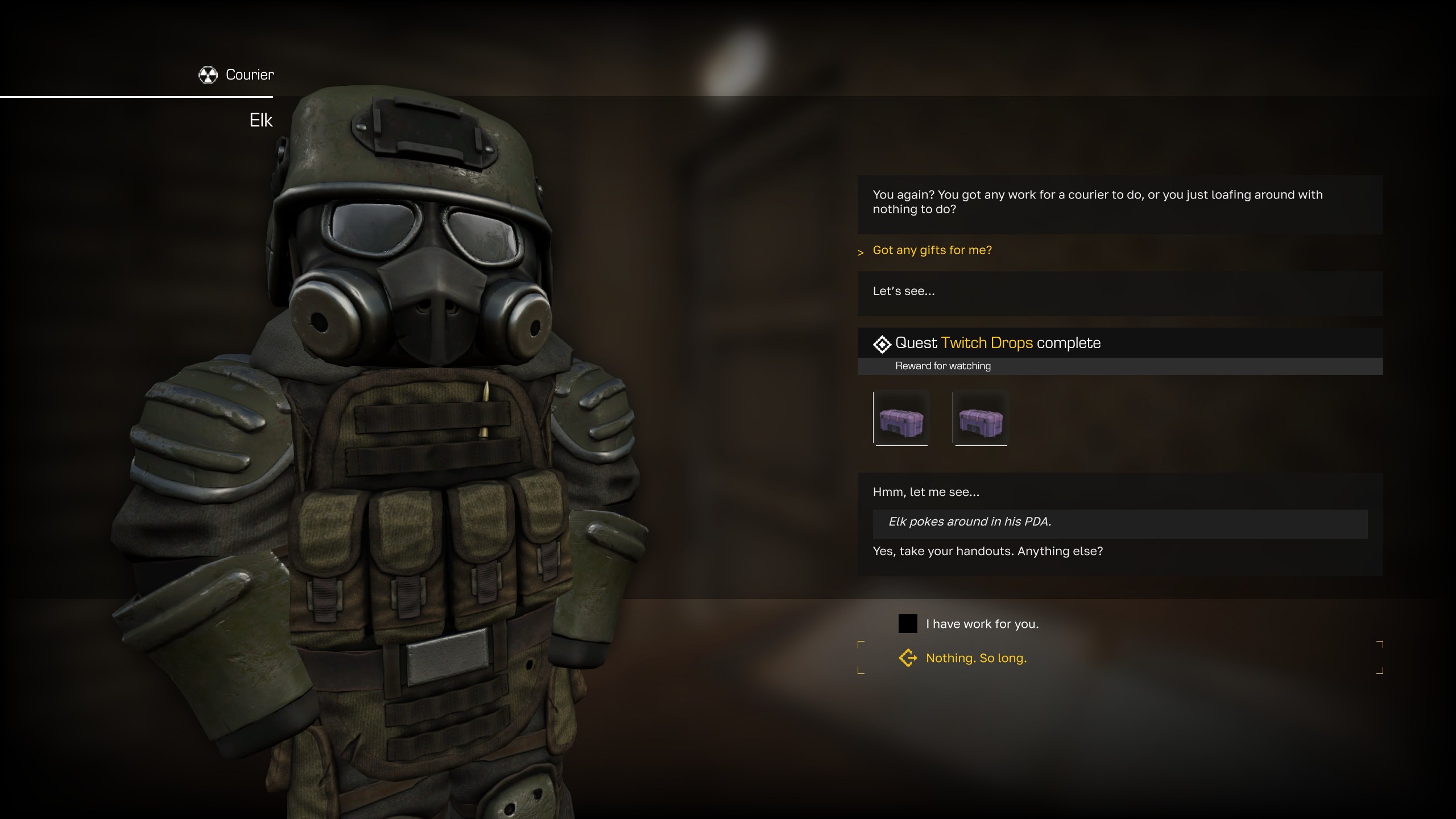
11. The Twitch Drops rewards will be added to your character's inventory (default E key).
Getting Twitch Drops reward on Epic Games (#2)
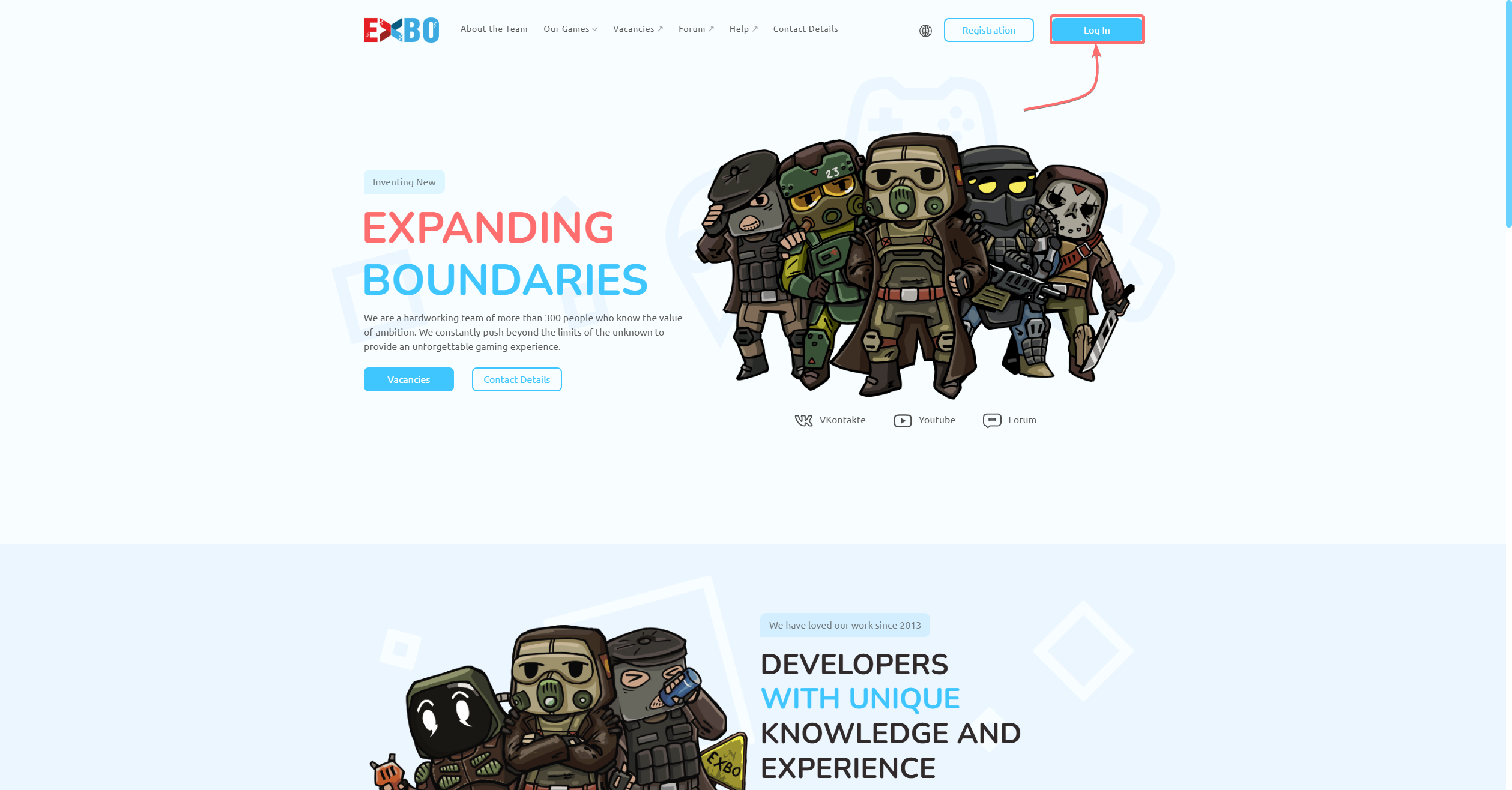
1. Go to the official EXBO website and click “Log in” in the upper right corner.
2. An authorization window will appear. At the bottom of this window, click on the “Epic Games” icon.
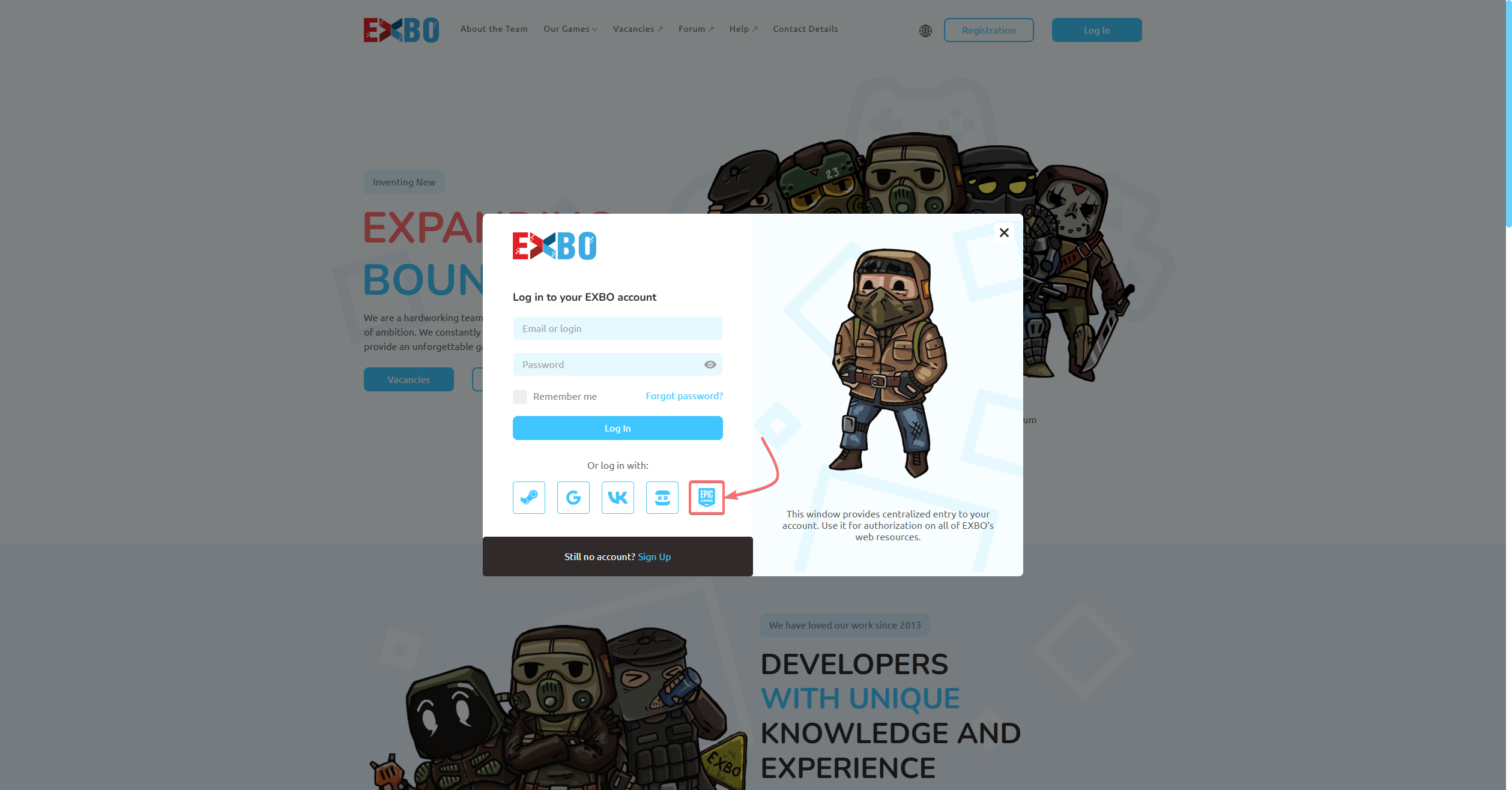
3. Select your account login (1) and click the “Account Settings” section (2).
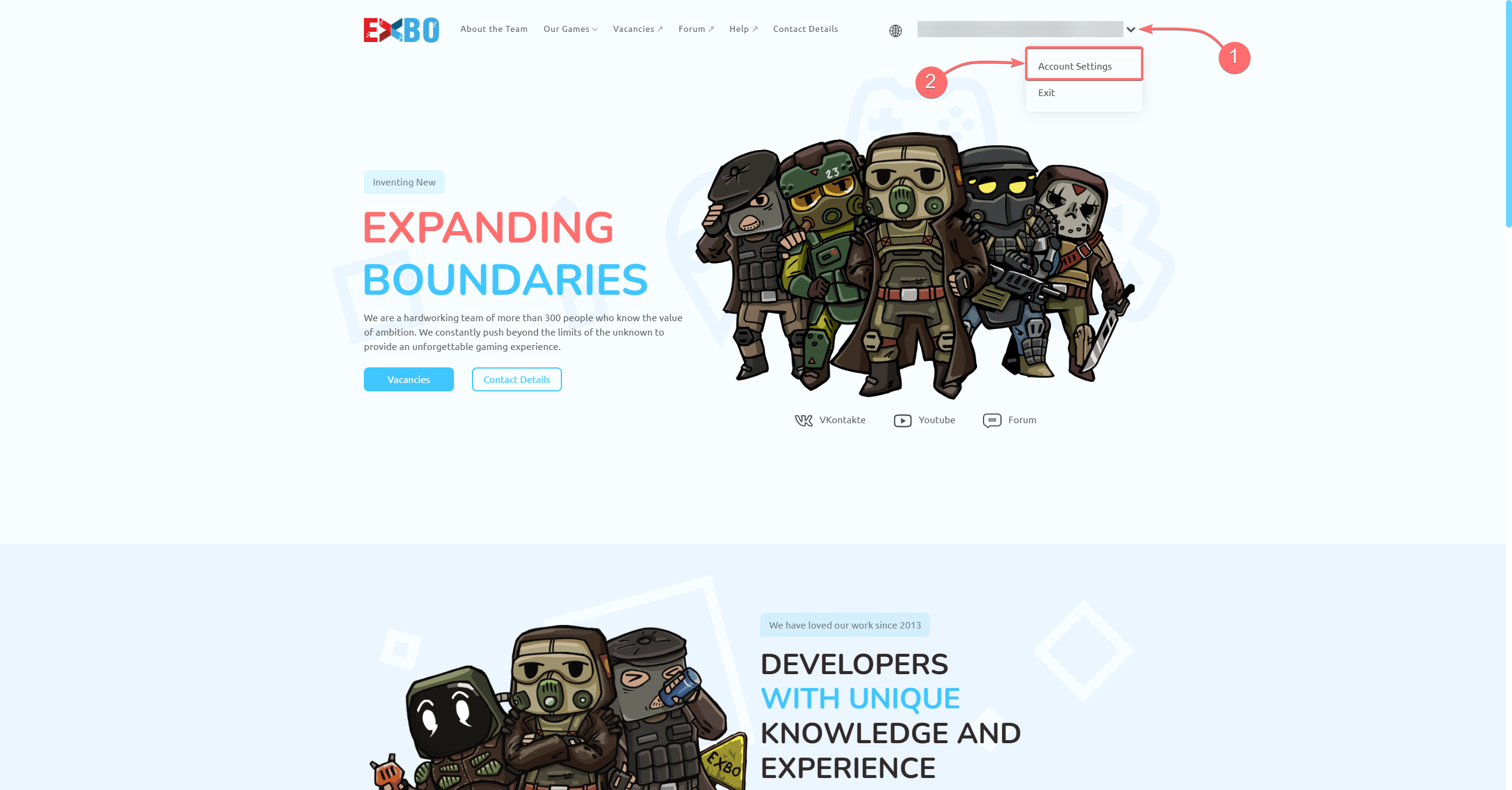
4. In the “Other Links” section, click on the “Twitch” button to link your accounts.
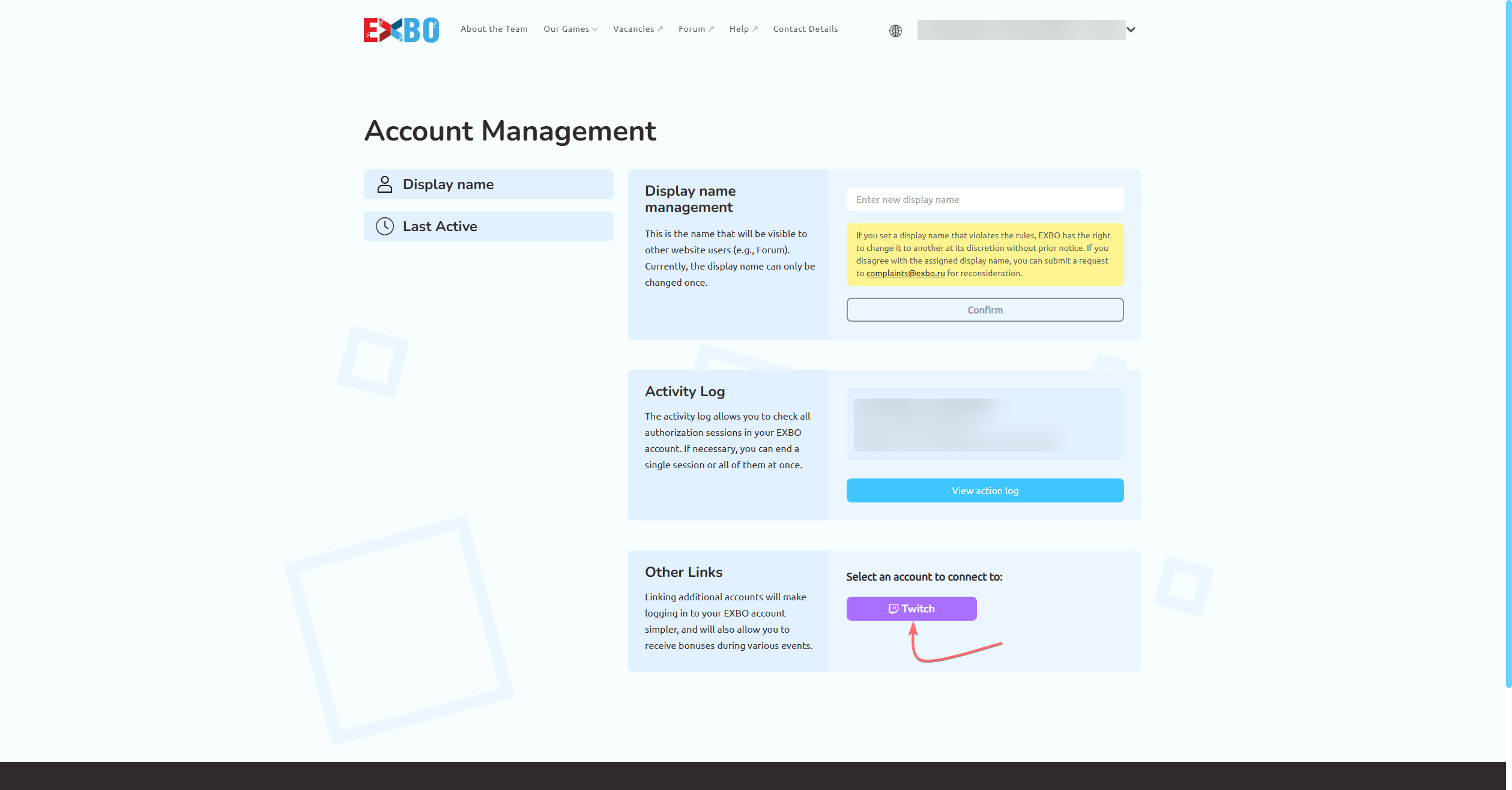
5. The official Twitch platform website will open. Log in using the account you want to connect.
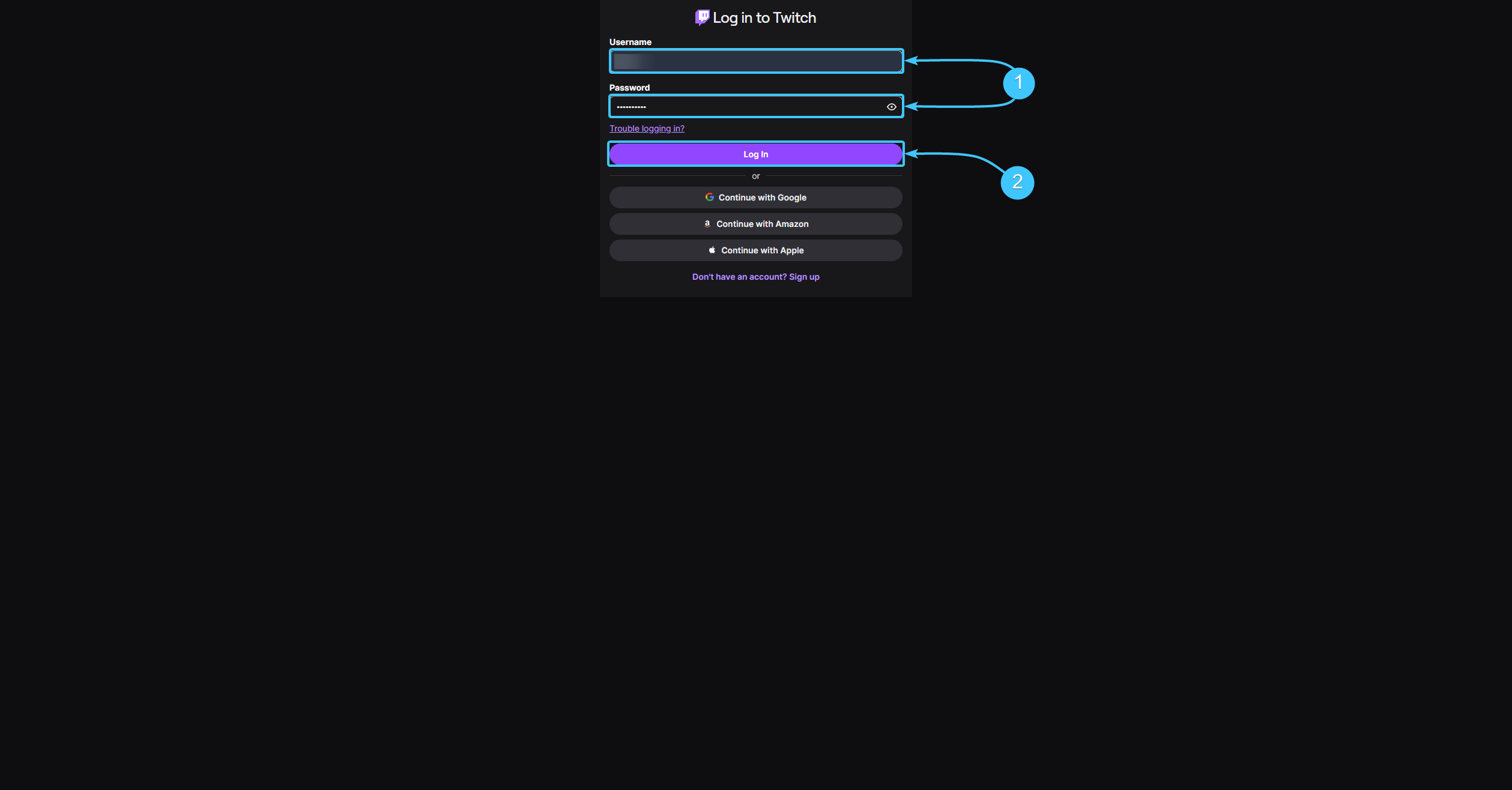
6. Start watching live streams on the Twitch platform until you get the rewards you want.
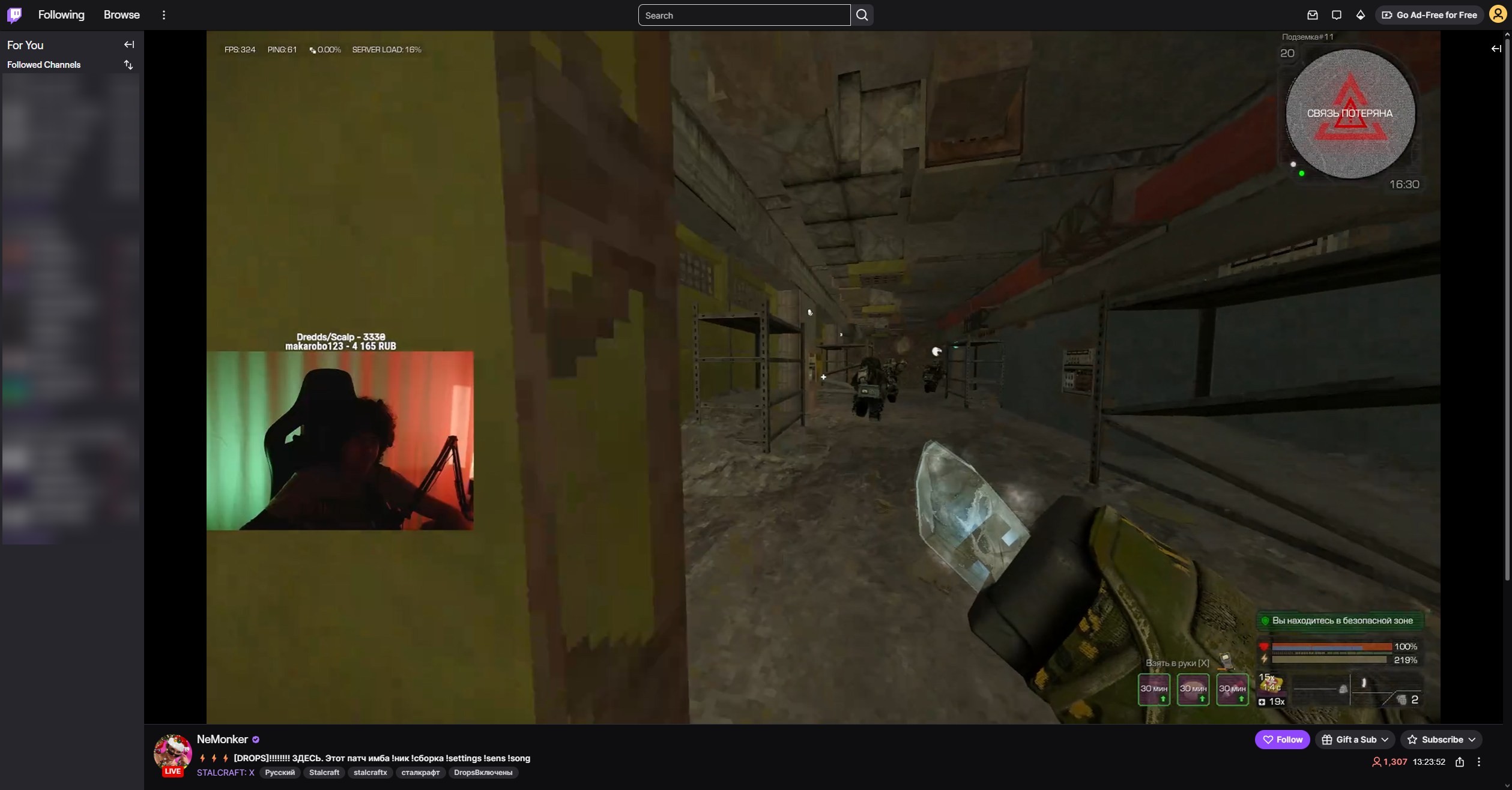
7. After that, go to the special page and click the “Claim now” button on all items.
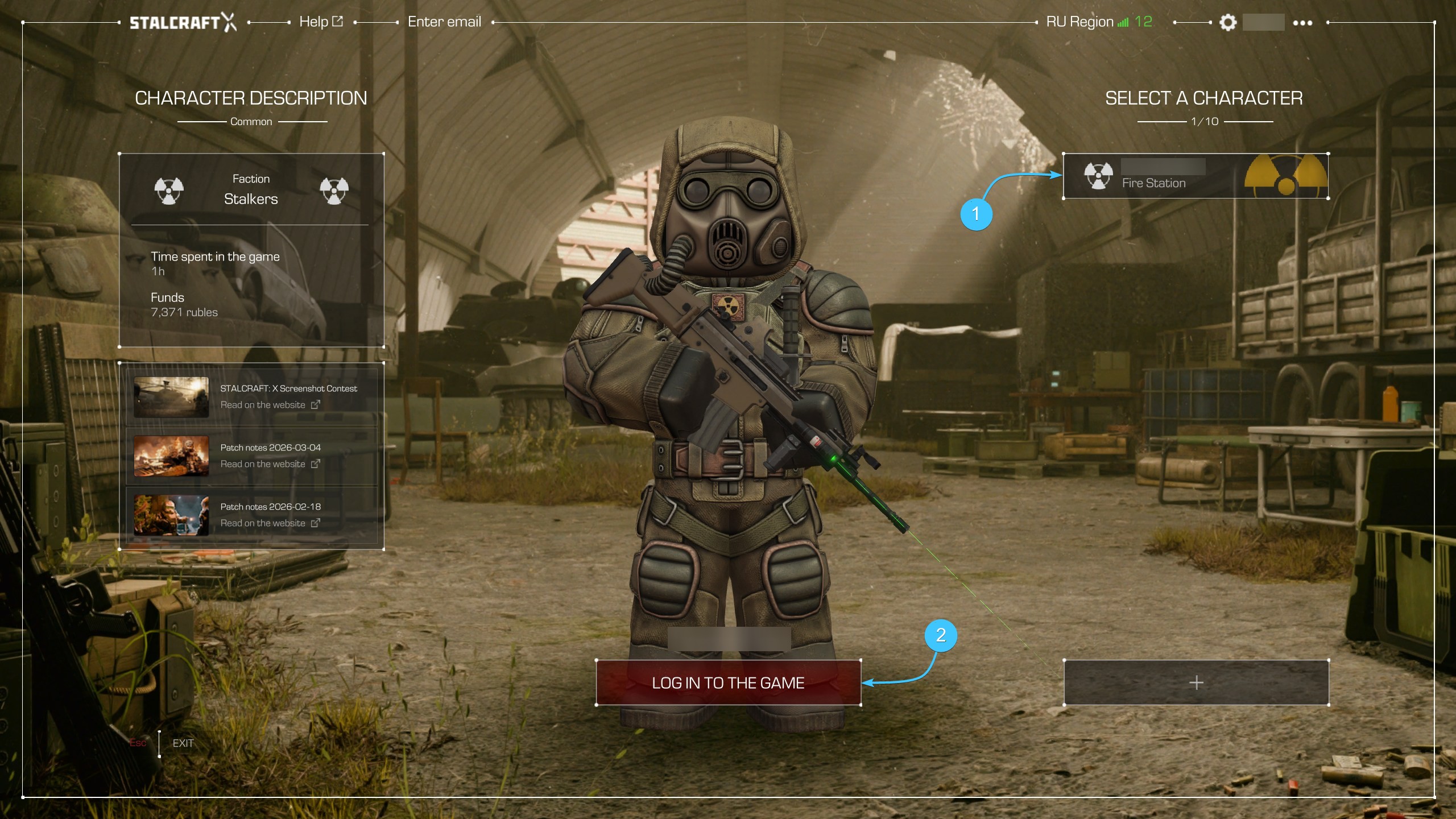
8. Launch the STALCRAFT: X game. In the main menu, select the required character and log in to the server.
9. At your faction base, find the character who is a courier and opens the in-game mail.
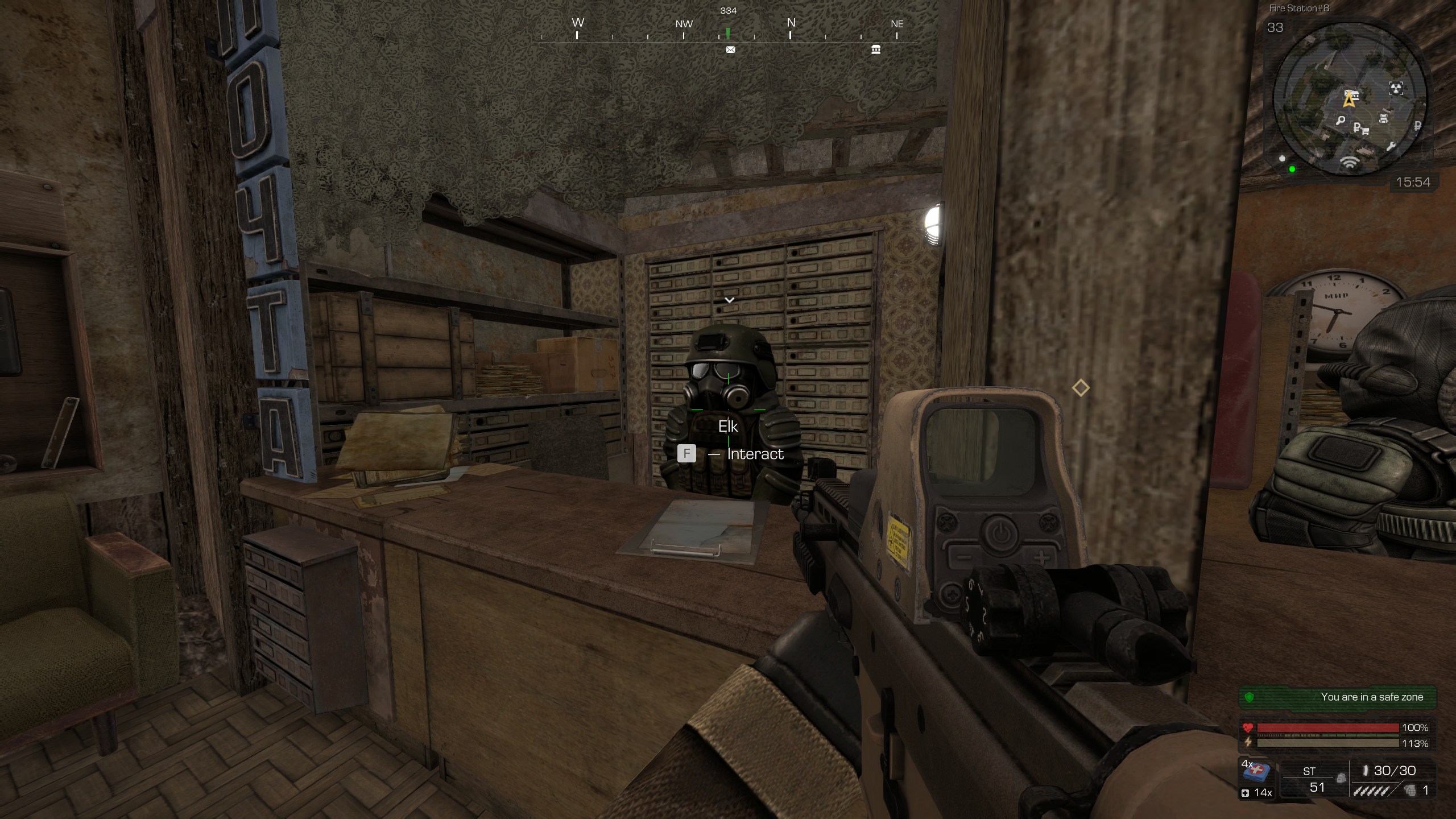
10. Start interacting with him. In the dialogue, select the “Got any gifts for me? [Twitch Drops]”.
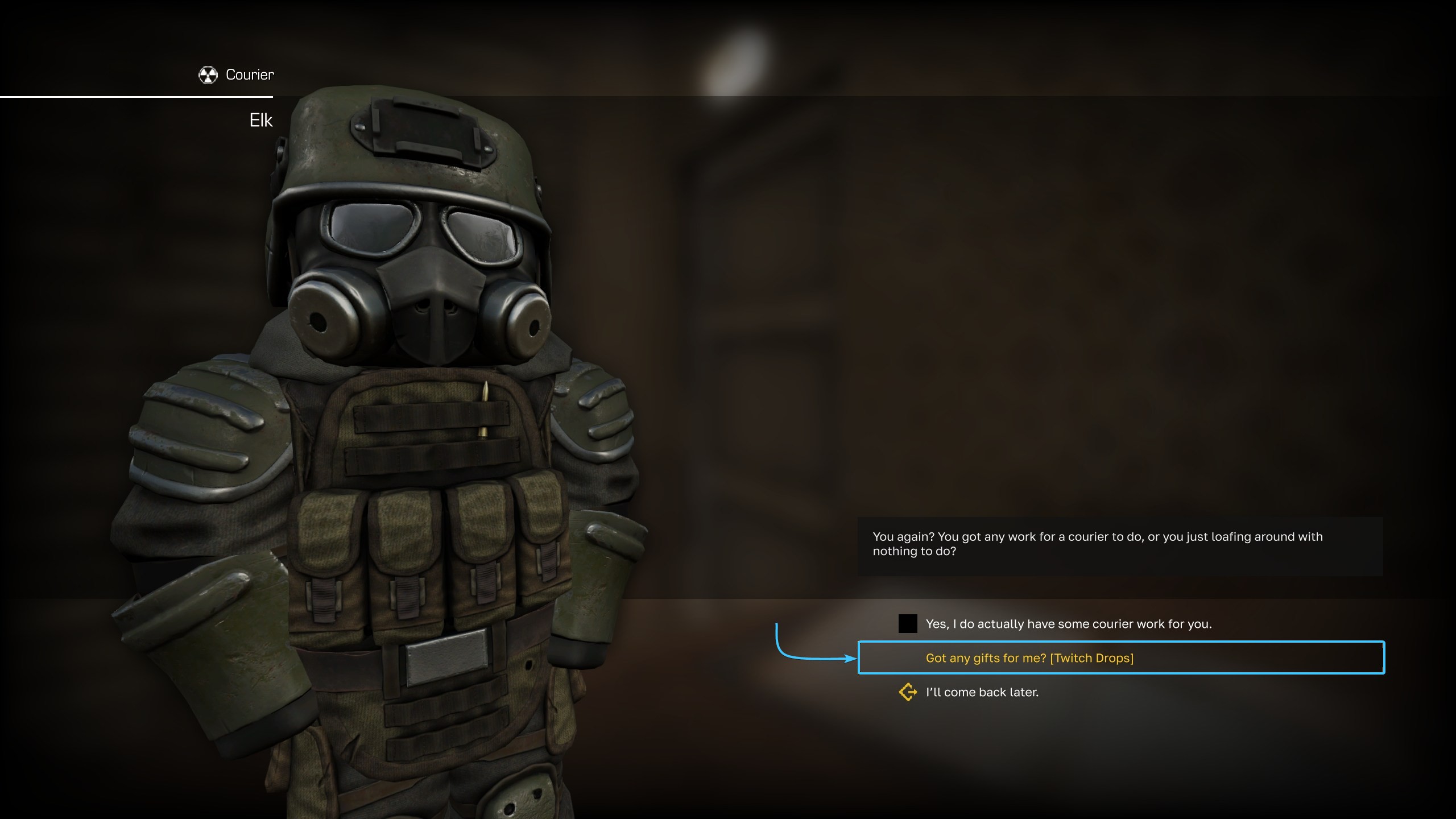
11. The Twitch Drops rewards will be added to your character's inventory (default E key).
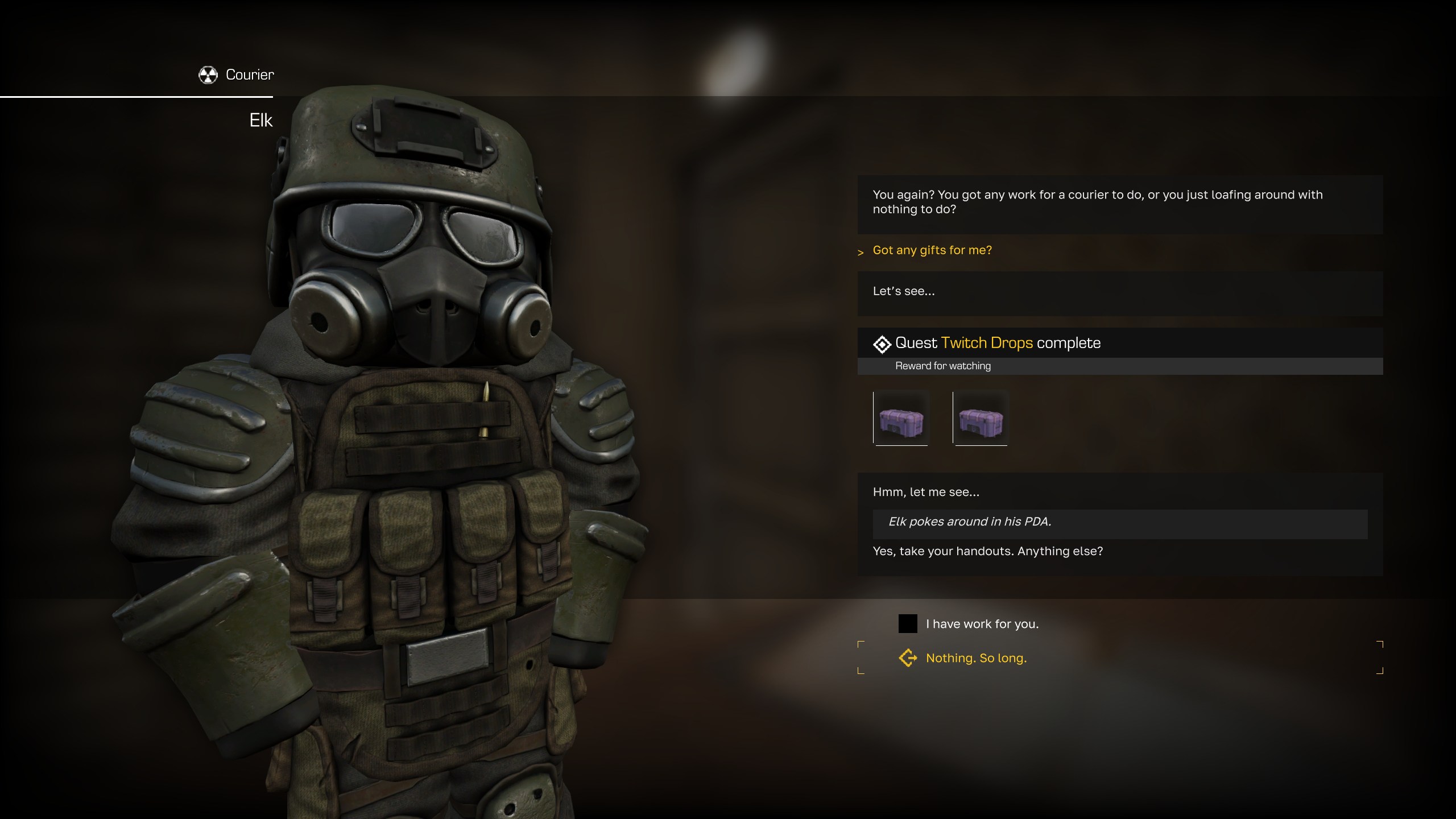
Twitch Drops update 18.12.2024
Added new Twitch Fragment currency type.
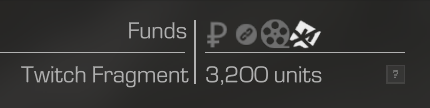
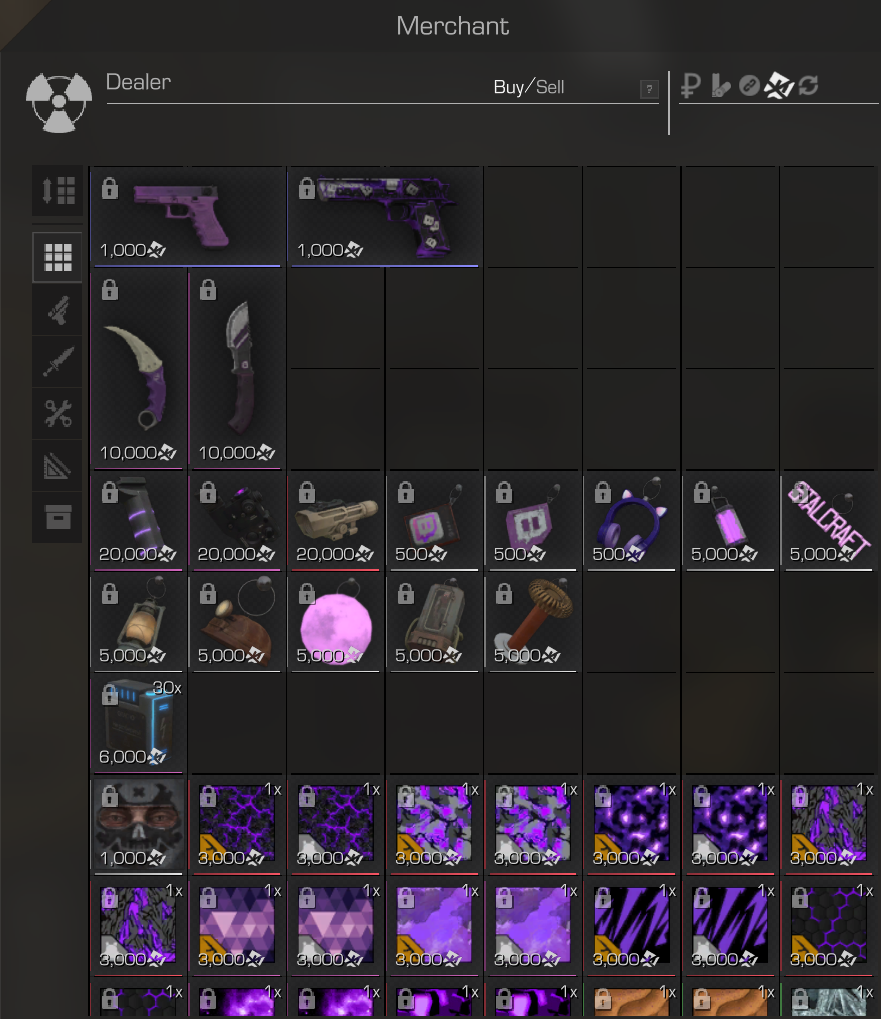
Fragments can be obtained by selling item duplicates from Twitch Drops campaigns to the Dealer NPC.
The Dealer NPC now has all previous campaigns items.
Other guides
- Referral system of the game;
- Top up balance in EXBO;
- Promo code activation in the game;
- Twitch Drops rewards in EXBO;
- Error when topping up in Steam;
- Error when topping up in Xsolla;
- Error when topping up in Unitpay;
- Possibility of refunds;
- Top up balance in Steam;
- Top up balance in VK Play;
- Error when topping up in T-Bank;
- Twitch Drops rewards in Steam;
- Twitch Drops rewards in VK Play.